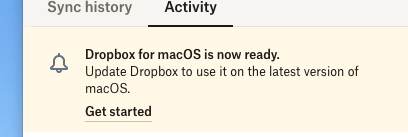
Dropbox's new launch on MacOS essentially cripples Dropbox (spotlight is broken, finder cannot search, external drive cloud storage is disabled, etc.)
So reverting to the older version fixes all the issues I had before.
How do I disable this notification in the menu bar Dropbox icon and in the Dropbox drop-down menu - I have to manually click "get started" then cancel it for it to disappear for a while - but it always comes back, so I've had to use a free open-source app called Hidden Bar to hide the **bleep** icon as its unsightly!
Would appreciate any tips/hacks to disable this (perhaps editing some config file somewhere??)