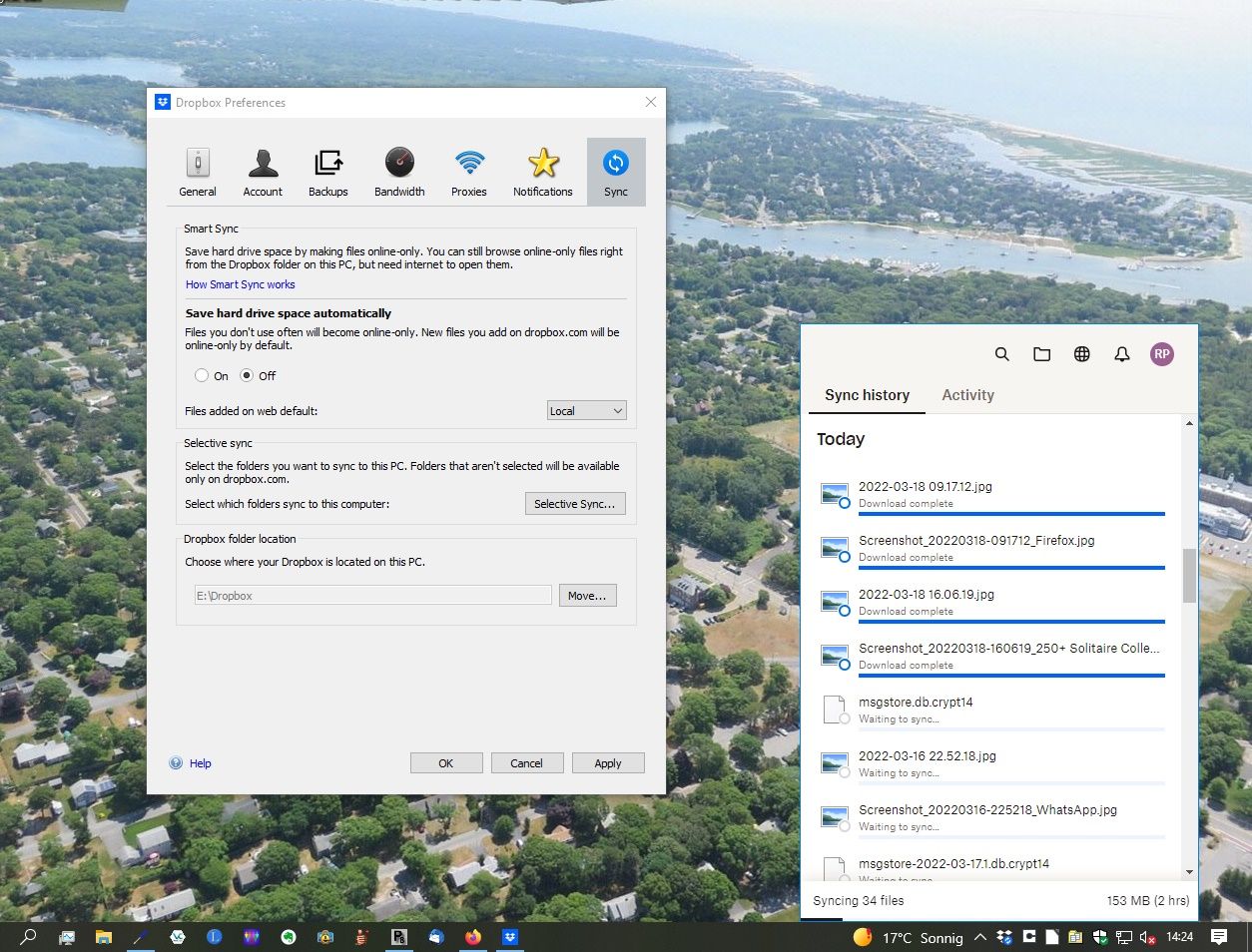
I've had a problem for the past few weeks with Dropbox no longer successfully downloading (syncing) from the server to my Windows 10 computer; it is somehow stuck or blocked and "Downloading 34 files..." forever. These are mostly images from my Samsung Android phone using the Android Dropbox app for Camera Uploads. Please see the attached screenshots for my sync settings and the current status.
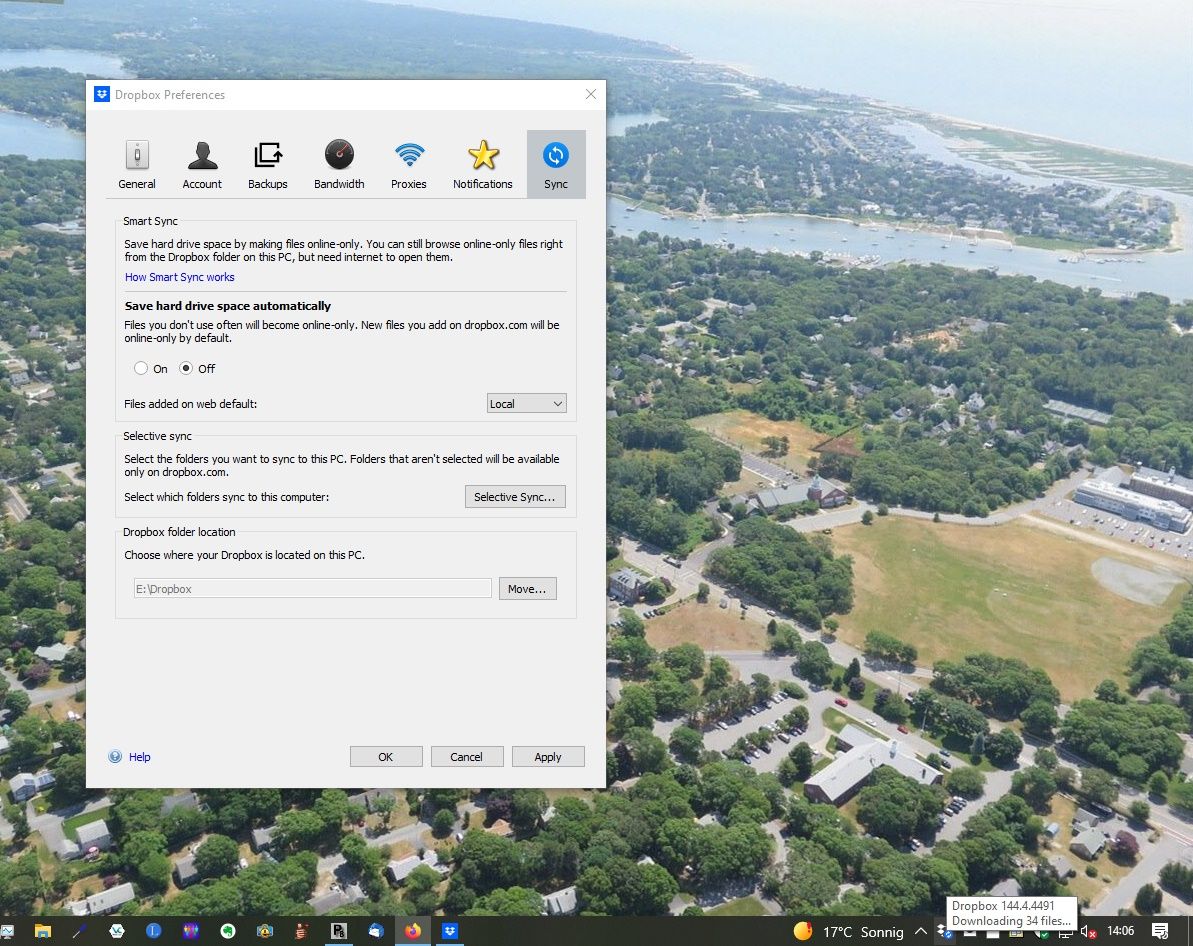
I am not using Smart Sync, nor Selective sync. All files are stored locally on my computer in E:\Dropbox, this hard drive has currently 1.2 TB free. My files on Dropbox are currently at 28.1% of my paid 2.1 TB plan, ca. 590 GB. There are no shared files, my 50 Mbit internet dsl connection is working fine, no other app is having any problems. The affected files are all on the Dropbox server.
I have thoroughly looked through the related posts in this forum and also been in contact with Dropbox support.
What I have tried thus far:
1. Alt-H on the Windows Dropbox preferences Account tab and Fix Permissions and Fix Hardlinks; no effect.
2. Advanced reinstall of Dropbox, no change.
3. Support told me having ca. 300,000 files could lead to performance problems, but I would say a plan with 2.1 TB is obviously going to involve a lot of files. But this is no decline in performance, it simply stopped downloading at all.
4. Complete reinstall of Windows 10 (ouch). After getting everything up and running again, Dropbox did finish downloading and everything appeared to be fine.
5. Then about one week later, the same problem appeared, which is where I am now. The last file successfully downloaded and saved in my Dropbox\Camera Uploads folder on my computer was "2022-03-16 18.05.11.jpg" from which the date can be inferred. As shown on the second screenshot, it claims to have downloaded "2022-03-18 09.17.12.jpg" but this is not the case, the file(s) are not there. This list from the sync history changes all the time, it will eventually list all files in the list as "Download complete" but then shortly later it will again say "Waiting to sync..." The downloading number is not increasing above 34 files because I have turned off Camera Uploads on Dropbox on the Android. Which of course does not help getting my photos to the computer. I'm hoping this problem can be solved so I can go back to using Camera Uploads.
Thanks for any help and/or suggestions!


