Hello,
In catalina I am no longer able to drag files in finder into the dropbox folder. The selected object just sort of springs back into place and will not enter the Dropbox folder.
Thank you for the reply.
I do not see any error (or otherwise) messages when I attempt to move the file.
It does not matter what my origin directory is the file will not move into Dropbox.
Currently the only way that I can get the file into Dropbox is to open iTerm2 and issue a 'mv' command for the file into the Dropbox folder.
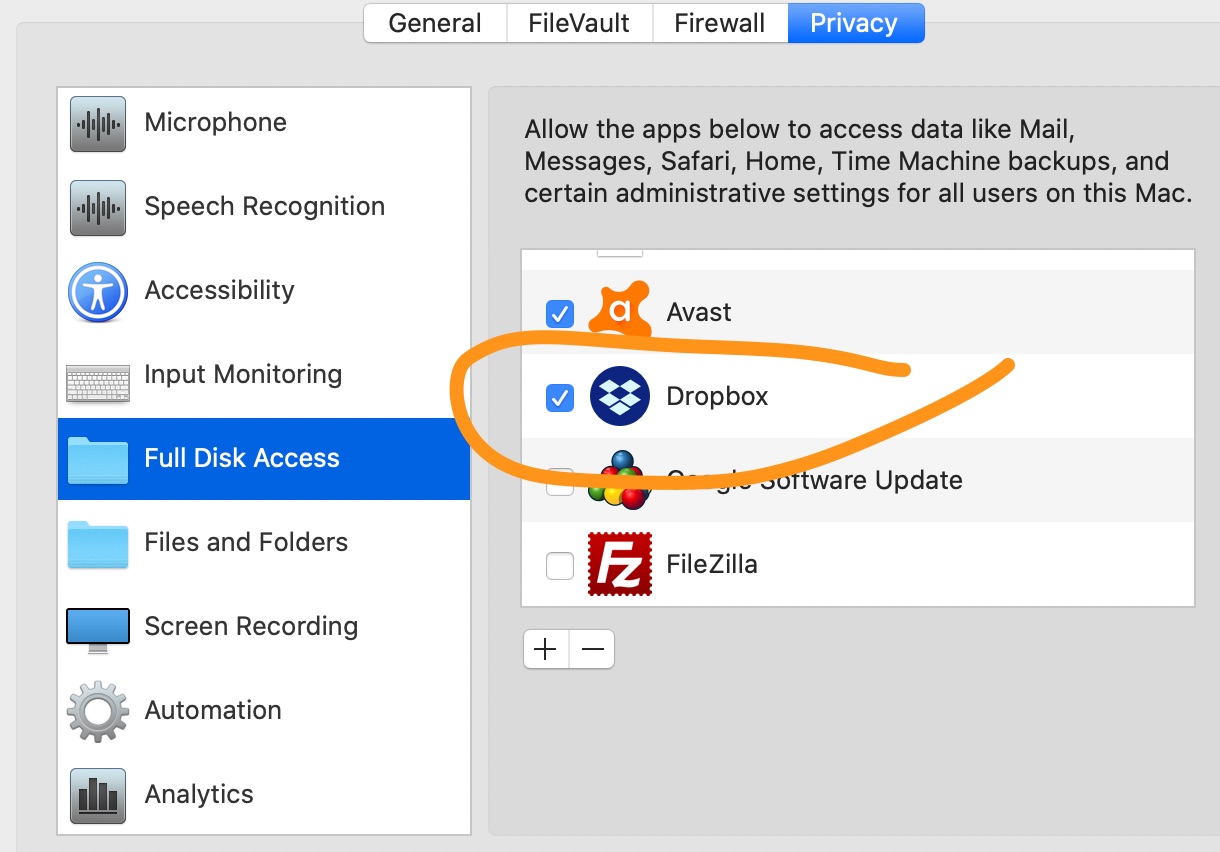
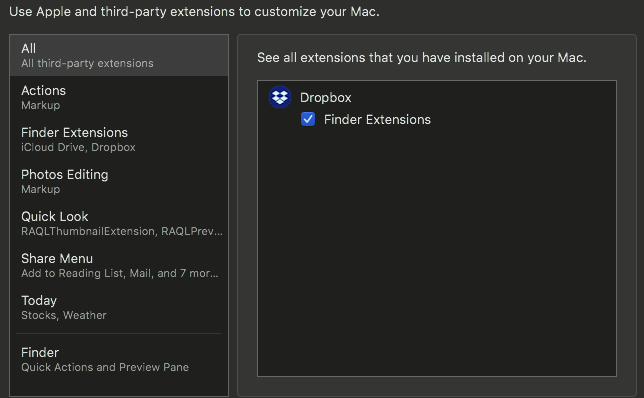
I have gone into accessability and given Dropbox full permissions in many places related to File and Folders but that does not fix the problem.
@Ted G. wrote: I have gone into accessability and given Dropbox full permissions in many places related to File and Folders but that does not fix the problem.
It wouldn't be permissions for Dropbox as it's not Dropbox moving the files; it's you. If it is a permissions problem, it would be with your own computer user account. Remember, the Dropbox folder is just a folder like any other on your computer. When you move or copy files in and out of the folder, it's your operating system performing that function; not Dropbox.
Are you able to create a new file directly in the Dropbox folder?
Yes, using finder I can navigate to the Dropbox Folder, make files and folders and move files out.
All I know is before Catalina it was working fine. After Catalina it is not. ...and Dropbox is really freaking expensive now for this.
Just tried this on my Laptop as well. Same behavior.
I'm having the same behavior but only when attempting to drag files into the Finder's Favorites sidebar. opening two windows and dragging from one folder to Dropbox in another window works as usual. But Catalina upgrade seems to have broken dragging into Dropbox when it's added to the Favorites siebar (dragging into all other folders in sidebar works.)
Yes, exactly. I'm seeing the same behaviour.
Since Catalina upgrade, I can drag between windows. But if I drag to a dropbox folder in the Finder sidebar, it doesn't work. Just springs back.
Are you able to drag to any other location in the Sidebar, or is it only Dropbox that's affected?
Only Dropbox. I can drag to any other location.
same here. only Dropbox folder in sidebar is affected. I tried removing and re-adding to sidebar but no change.
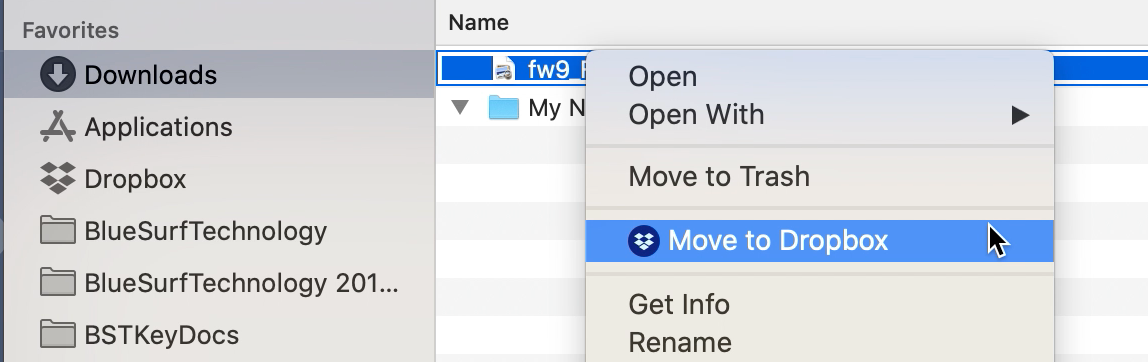
Same problem on my side - ****** Catalina... 2 workarounds - Command+C followed by Command+V and then deleting files in the original destination or right-click the file and pick "move to Dropbox" - surprisingly this works. There was a pop-up about Dropbox rights right after the first restart of my Mac after Catalina upgrade, but I missed it and cannot find any longer...
I have a similar issue: while I can use drag+drop to Dropbox folders in the Catalina Favorites Sidebar, I can only do so with "regular" folders. It stopped working for applications ("Apps") folders such as the one created by "Send to Dropbox". To be clear, I can drag+drop to all Dropbox folders in the sidebar except to those created by apps linked to my Dropbox. Workarounds such as cmd+c/v work, but it's still very annoying. Please fix this soon!
I can drag to any other folder in the sidebar. Just Dropbox folders in sidebar don't work.
If I drag and hover over the Dropbox folder incon in the sidebar for a sec, then it opens the folder in a new column (in column view). Then I can drop the files into that open folder. But then of course I have to navigate back to the original location if I want to drag more items.
I can also drag onto Dropbox folders in a Finder window. i.e. If I navigate to the root Dropbox folder in Finder, then drag a file from another Finder window onto the icon of a folder in the root Dropbox folder column, that still works. Just not in the sidebar.
Same here. I found that I can right click on the files and select "move to dropbox" as a workaround for now but it's frustrating to not have the usual drag and drop functionality. And it's only dropbox for me - Google Drive is fine for example. And only since Catalina upgrade.
Since Drop box uploaded this new interface it is impossible for drag and drop. Moderator you did not answer the previous persons problem.
I cannot drag and drop my files into folders also. There is no set up screen to change this.
please let me know the answer to this issue.
Same here. Here's a screen recording.
I had the same issue. I found this solution worked for me.
1. Hit Command+Option+Escape to bring up the “Force Quit” menu.
2. Choose “Finder” from the list and click on ‘Relaunch’ to quit and re-open the Finder app.
I got the suggestions from this website
I followed this link http://osxdaily.com/2015/09/07/drag-and-drop-not-working-mac-os-x-troubleshooting/
Tried that and it did not fix it for me (either - as others have indicated).
Hey Jane, Is Dropbox planning to come up with a solution? It's clearly not unique to any one person and Dropbox is going to lose a lot of Mac customers if you don't solve this problem very quickly. It's been two weeks of no constructive response or solution while the file mess on our computers builds up.
Agree we need a real fix to the issue but did you see my post that if you right click the file and do "add to dropbox" that works at least as a temporary solution?
I saw your post and tried it by clicking on the link but it didnt work.
Like this? (works for me)
quite frustrating.
The files just jump back.
HELP DROPBOX guys ... !! HELP
Did you grant DropBox full file access? Once I did that I could do the "move to dropbox" action. Drag and drop isn't working still but that helped me a lot.
I didn't change anything but overnight the functionality returned to drag and drop. Elves or software engineers at work?
Not working for me as of 10:00 am PT on 10/24/19. I checked and I'm current on O/S updates.