i need to know how to clear the notification panel. i got sum notification which i need to clear from panel. pls help
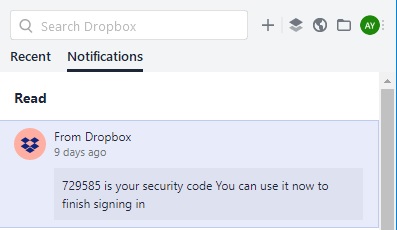
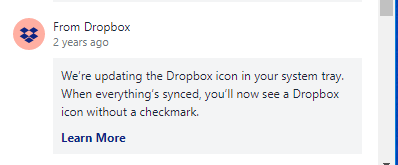
There are no three dots showing up on the notification. see screenshot.
Can you please help me..
Changes were made that dropped the dots. We have to keep lobbying for a feature that would be no notices older than x months, or somesuch.
you rick for you reply. that was helpful.
In the interim what can I do to remove those notifications?
All you can do :-( is to create more new notifications until the old ones pop off the bottom of the screen. I suspect they cannot be removed, so I just ask for a feature that would hide old ones.
Yup, mine looks like that too. Today I got a "notification" from Dropbox to join a team - except that they're all people I've never heard of, and I can't get rid of the notification. I used to be an analyst/programmer so I can say with some confidence that this is lousy programming.
This is ridiculous. I know of no other system that does not let you clear notifications. Some of mine have no menu [...], and if they do, there is no remove. I have ones from Dropbox that are three years old. I'm running Windows 10 Pro. You should be able hide acknowledged notifications, search and select notifications, delete or acknowlege selected notifications.
In Dropbox version 81.3.190 still no sign for clearing notifications.
Can anyone at Dropbox please explain why a simple funtionality as clearing notifications is not implemented yet???
@dvmierlo wrote: Can anyone at Dropbox please explain why a simple funtionality as clearing notifications is not implemented yet???
Dropbox doesn't comment on what features may be planned, or their ETA.
Hi @Rich,
Thanks for your reply. Honestly I hoped that it was a more customer oriented one. My question is why, and as you can read in this thread I'm not the only one, this simple functionality is not implemented?
I believe that Dropbox does not want to frustrate their paying users (I am one of them) by not implementing a simple function as this.
The Notifcation Bug -- notifcations going back many years and no ability to delete/clear list -- still NOT fixed as of Dropbox desktop version: v84.3.145 on October 17, 2019.
Oct 2019 - To review: There used to be a tedious way to delete notifications one-by-one by using a menu that could be accessed from a "three-dot" dropdown. The three dots have been removed and now there is no way to remove notifications either in bulk or one at a time.
Also, some update has pushed out a bunch of old notifications, so now items going back (in my case) three years are showing up in the panel (of my Mac desktop tray) and I'm just stuck with them. Do I have this right?
Hi @moke. Thank you for adding up your voice to this thread.
The settings in your notifications tab in Preferences currently are the following:
Notify me about
You can set your notification preferences to choose what notifications to receive.
Do not disturb
On Mac computers, you can turn off notifications for a limited time. Choose how long notifications are turned off for.
This article lists the options you have in your desktop preferences. You could start fresh with the desktop app, performing a reinstall.
Not ideal, but hope it helps.
@mokeis correct and @Fiona, a fresh reinstall does nothing to fix the issue. I have notifications dating 6 years back taking up space—no option to remove.
Sorry for any misunderstanding. Tried to help, thinking that you only see old notifications and not receiving new ones. This could be a syncing issue with your dekstop.
New notifications should push the old notifications and the history of them should be updated and kept for your visibility @tglittrell. If I am right and you are not getting any new notifications, even after resintalling, please contact support and provide me with your ticket number.
If you do have new notifications, but you simply cannot delete the old. Then your feeback does fall under this Community thread, where unfortunately we have no updates to offer and no ETA for future updates.
Wow, this is just bizzaro. I have notifications going back many years that I want to remove, but there is NO WAY TO DO THAT. I don't want to select which ones to recieve, and I don't want to turn them off for a limited time. I want them to GO AWAY. The three-dot removal would have been adequate, but that's gone now.
I'm bailing out of Dropbox, and going to an application that is designed with some common sense. Dropbox management seems to have bailed on us.
I'm now sold on "Sync". Works like Dropbox, but without all the notification garbage. Bye, Dropbox!
Could not agree more. Highly irritating, very old problem...time to move elsewhere.
I think we should be asking for a "How far back to show notifications" feature.
(the underlying notifications are retained 'forever')
These kinds of catastrophic lack of investment, care and inability to support therir products are usually a sign of a company in trouble, about to be sold/bought, or simplly fail.
Hi Cassandra M, Because of the way OS10 is built to support different features and calculate space used on the disk, Dropbox's solution does not work for everyone's OS10. Working around that requires extensive code for OS10 support. This is an example of two large companies with competing products which can result in mutually exclusionary S/W strategies.
Deleted notifications, all 5 or 6 years old, keep reappearing on the several Macs I run. I have used the elipsis removal process, described above, on 3 macs, each running different Mac operating systems (El Capitan, High Sierra and Catalina). So there must me some old buggaboo still present? Not a big deal; just curious how to correct if anyone knows. I suspect the macs are syncronizing from one another and not picking up on any of the delete markers. Perhaps I can defeat the notifications finally by turning off sync on all three macs, deleting/removing on each mac, then turning sync back on? I suppose I can give that a try someday.
Happy New Year 2020!
Every time I delete a notification it comes right back. Given that they cannot or are unwilling to solve this I think the best solution is to stop using Dropbox.
It's getting pretty irritating. 7 year old messages that can be "dismissed" but keep coming back as if they are snoozed. Actions like "accept / reject" sharing a folder that do not work because the folder in question no longer exists.
I have just had to face it. Dropbox is no longer a service for users. It has become a money-making mechanism for accountants, investors and venture capitalists who will likely milk the company for all it can by getting rid of the real talent and letting hacks and marketers try to ****** it up to maximize values. Capitalists will than dump the company, screwing the investors and move on to the next good thing to ruin.Get out while you can.
Hi, what if i have 123 notifications i need to clear .... how do i clear then all at once ...and not one by one ? there must be a way..... i dont have time to sit here, right click, dismiss, next next, next ..
Adding my two cents that this is annoying and it feels absurd that it hasn't been addressed yet.
Hello from March 2020. I can confirm that this still hasn't been addressed and I've still got notifications from 2013 when my old boss left and removed her shared folders which I just had to remove one by one. Again. *sigh*
Still No Fix. I am using the desktop app and I have to go through each notification one by one on the dropbox app and "dissmiss notification". Amazing this hasn't been added.
I received many files via a file requests...I've turned notifications off now, but I have about 200 notifications clogging up my Dropbox menu. Why, oh why is there not a way to DISMISS ALL NOTIFICATIONS ? This can't be that difficult. I know what they all say. I don't want to look through and dismiss each and every one of them one at a time.
Hey everyone, thanks for your updates here!
If your notification keeps reappearing after dismissing it @aloiamoa, our team is aware of the issue and working on this. I'd suggest checking out this thread to stay posted with any updates on this.
For those who would like to have an option to dismiss notifications in bulk, I'd suggest sharing this idea in our dedicated area of the forum here. Others will be able to upvote and show their support for the idea there too.
If you have any other questions, please let me know!