As of today 2019/04/04 Dropbox won't open properly unless I ran the app as an admin.
Noyhing changed on my Windows 10 PC, same hardware, same Windows, same folder location.
I get a popup error, this one below:
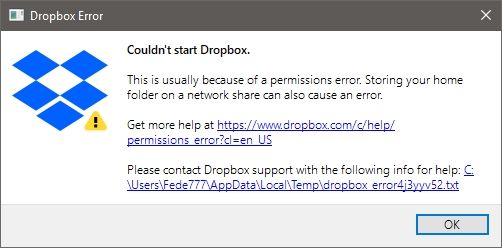
And the generated txt file says this:
bn.BUILD_KEY: Dropbox
bn.VERSION: 71.3.99
bn.DROPBOXEXT_VERSION: 27.0
bn.is_frozen: True
machine_id: 1e87728a-1657-4b5a-a819-eea9ea1b7db3
pid: 11172
cwd: 'C:\\Program Files (x86)\\Dropbox\\Client'
     real_path='C:\\Program Files (x86)\\Dropbox\\Client'
           	mode=0o40777	uid=0	gid=0
     parent	mode=0o40777	uid=0	gid=0
HOME: None
appdata: 'C:\\Users\\Fede777\\AppData\\Local\\Dropbox\\instance1'
         real_path='C:\\Users\\Fede777\\AppData\\Local\\Dropbox\\instance1'
               	mode=0o40777	uid=0	gid=0
         parent	mode=0o40777	uid=0	gid=0
dropbox_path: 'D:\\Dropbox'
              real_path='D:\\Dropbox'
                    	mode=0o40555	uid=0	gid=0
              parent	mode=0o40777	uid=0	gid=0
sys_executable: 'C:\\Program Files (x86)\\Dropbox\\Client\\Dropbox.exe'
                real_path='C:\\Program Files (x86)\\Dropbox\\Client\\Dropbox.exe'
                      	mode=0o100777	uid=0	gid=0
                parent	mode=0o40777	uid=0	gid=0
trace.__file__: 'C:\\Program Files (x86)\\Dropbox\\Client\\71.3.99\\python-packages-36.zip\\dropbox\\client\\ui\\common\\boot_error.pyc'
                real_path='C:\\Program Files (x86)\\Dropbox\\Client\\71.3.99\\python-packages-36.zip\\dropbox\\client\\ui\\common\\boot_error.pyc'
                      	not found
                parent	not found
TMP: C:\Users\Fede777\AppData\Local\Temp
TEMP: C:\Users\Fede777\AppData\Local\Temp
tempdir: 'C:\\Users\\Fede777\\AppData\\Local\\Temp'
         real_path='C:\\Users\\Fede777\\AppData\\Local\\Temp'
               	mode=0o40777	uid=0	gid=0
         parent	mode=0o40777	uid=0	gid=0
Traceback (most recent call last):
  File "dropbox\client\main.pyc", line 763, in wrapper
  File "dropbox\client\main.pyc", line 6112, in finish_dropbox_boot
  File "dropbox\client\main.pyc", line 5662, in _init_components_for_account
  File "dropbox\sync_engine_boundary\factory.pyc", line 301, in make_sync_engine
  File "dropbox\sync_engine\nucleus\classic_client\sync_engine.pyc", line 542, in __init__
  File "dropbox\sync_engine\nucleus\classic_client\sync_engine.pyc", line 1781, in _start_new_engine
  File "dropbox\sync_engine\nucleus\thin_client\client.pyc", line 201, in __init__
  File "nucleus_python.pyx", line 82, in nucleus_python.NucleusSyncEngine.__cinit__
nucleus_python.SyncEngineError: Initializing engine |>> Initializing filesystem |>> Opening root with ReadWithACL |>> Permission denied
Now if I change the shortcut or exe permissions and set them to Run as admin, it works just fine. Is there anything I should do to make it work like before?




