I'm a bit desperate for a solution, I've been talking to Dropbox support and even escalated my problem to tech (who haven't been very helpful with long pauses in communication I can't get help promptly. I had to provoke another support ticket in order for them to respond again)
Everytime I startup my computer, I get an error message as such:
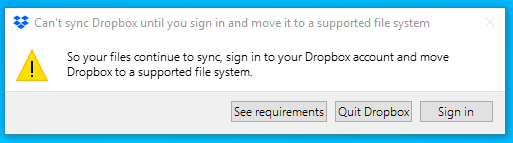
This error appeared umprompted and out of the blue one day at work last week and has plagued my computer since. Dropbox has worked flawlessly on this system beforehand and now it won't sync at all.
This is all happening on the C drive of my Windows 10 computer, it is a NTFS parition and the system running the latest updates. The Dropbox folder is in the default location (in the user folder)
I have tried the following:
- Re-installed (scrubbed registry, deleted all local files, cleaned up junk files per Dropbox support instructions) 3 times
- Moved Dropbox folder (still tells me the file system is unsupported)
- Re-synced entire dropbox folder
- Re-installed with anti virus disabled
No progress. There was, though, a single day it let me run Dropbox and actually synced my folder but went right back to giving me the error near the end of the day and returned to it's old habit.


