Application Affected
Dropbox App for Windows
Device
Acer Helios Neo 16
Operating System/Browser (if using the web)
Windows 11 24H2
Dropbox App Version (if using the app)
233.4.4901
Question or Issue
After the last update, I can see the new Status column with the Icons of the folder/files in windows explorer.
From my understanding, the basic Icons should be like this:
- Blue Cloud Icon: If the file/folder is only online
- Green Check Icon Outlined: If the folder is mixed with online and offline files
- Green Check Icon Filled: If the file is offline or the whole folder is offline
But, it is showing like this:
- Blue Cloud Icon: If the file/folder is only online or the folder is mixed with online/offline files
- Green Check Icon Outlined: If the folder or file is offline (If I double clicked the file and opened)
- Green Check Icon Filled: If folder or file is offline (If I right clicked on the folder/file and selected the "Make Available Offline" option)
It doesn't make any sense for me the way it is now. The two types of green check icons represent the same Status. I have almost 40TB on my company dropbox. Most of the files will be online any given time. So, I want rapidly see the ones who aren't.
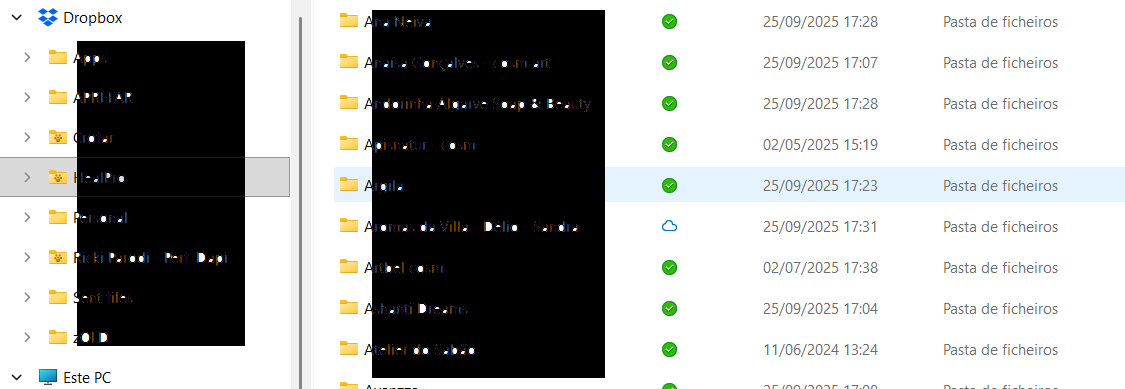
Here's some screens with the problem:
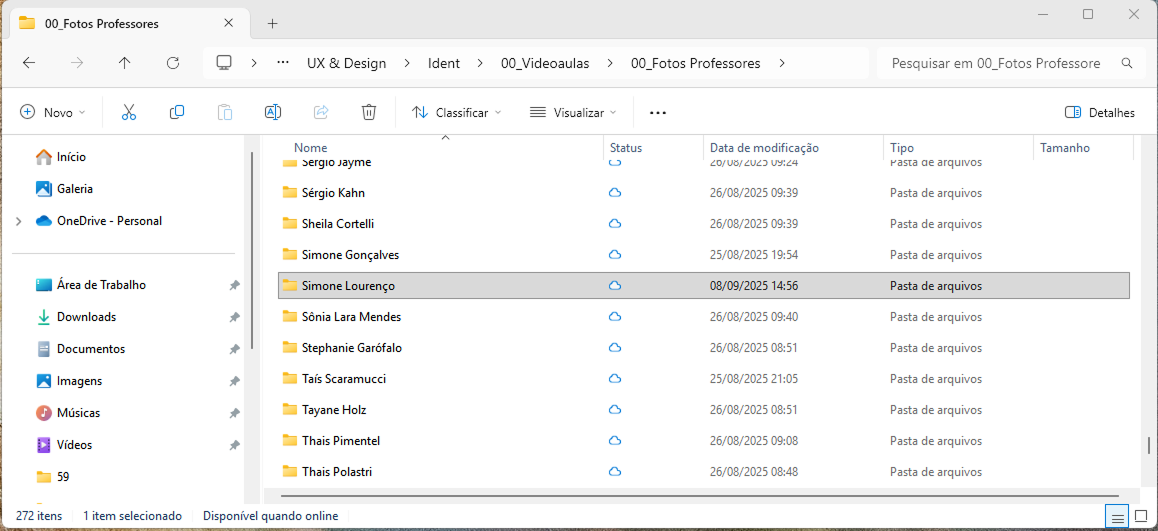

There's only one file online, and the folder is with the Blue Cloud Icon.
I've contacted the support and they are scaling up the problem, but I also wanted to check here if anyone's with the same (frustrating) problem.