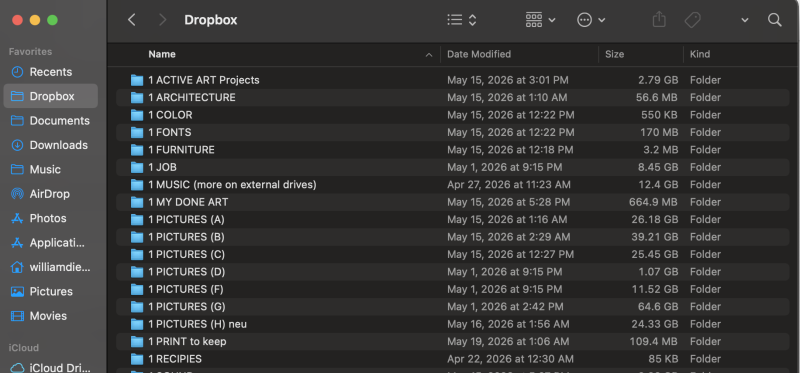
Dropbox was working fine on my laptop until recently. I don't remember any manual update of any program or OS recently.
I'm on MAC Venture 13.4.1 + Dropbox v213.4.4597
The sync icons and the menu options when you right click on a file or folder in Dropbox are not showing. I have tried all options that I could find online:
- Disable all other "Added extensions" and "Finder extensions" in my System Settings
2. Deactivate and reactivate the Dropbox finder extensions
3. Force quit Finder and relaunch it
4. Removed all the Dropbox cache and files (all hidden files in the main folder but also in the /Users/username/ and /Users/username/Library/CloudStorage folders)
5. Removed all other cloud storage apps and folders from the computer (Google Drive and OneDrive) (to avoid any possible conflicts with Dropbox)
7. Closed all the active programs that I could find in Activity Monitor (to avoid any possible conflicts with Dropbox)
6. Removed and reinstalled Dropbox multiple times
7. Shut down and restarted the computer
The syncing itself works fine. When I create a new folder on my computer it shows up on the web version. When I create a folder on the web version it shows up on my computer.
The problem is that I have all files by default on "online only" and I want to download different folders for offline use. I now can only download files one by one by clicking on them, but no folders.
I'm getting kind of desperate at this point. What am I missing?