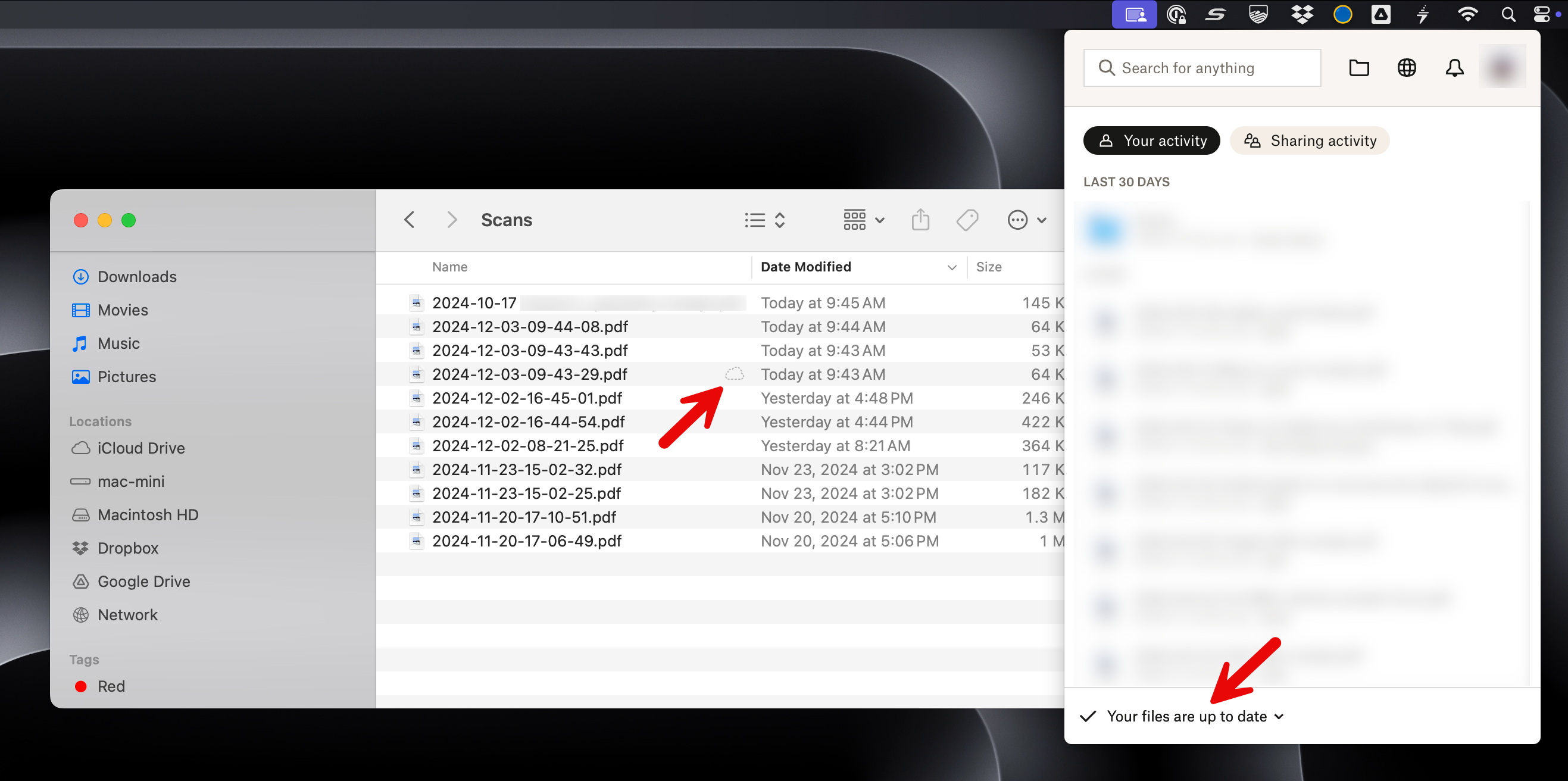
When adding files to my Dropbox folder on my Mac, I occasionally see some files which appear in the Finder with a dotted line cloud icon in the state "waiting to upload". These files will never sync to Dropbox or my other computers until I manually double click on the file to open it, and THEN the sync starts and shows up on my other computers running the Dropbox app.
In case it matters, these files are being created automatically in the Dropbox folder by my scanner software (ScanSnap). This does not happen with all files created by ScanSnap, it seems to happen occasionally to random files (90% of files seem to sync correctly).
I'm seeing this on macOS Sequoia 15.1.1 with Dropbox v212.4.5767