I got issues with my Desktop app. It doesn't sync files and I have tried uninstalling / reinstalling, removed folders in preference, removed my fire wall and virus protection, and nothing seems to be working. Could someone please assist?
Hi there @Majid Abdi - sorry to hear about your syncing issue.
Could you send me a screenshot of the app's exact status and version as shown in your system tray/menu bar at the moment?
Thanks!
Not sure if I could attach documents here but I'll give it a try let me know if you could see it. I'm using 184.4.8395 version if that makes sense.
Majid
Could you please confirm you received the info you had requested?
Thanks for the screenshot @Majid Abdi
Is the desktop app slowly syncing your files or is it stuck at this exact same number of files for a while now?
Have you tried adjusting your bandwidth settings through the desktop app's preferences?
It gets stuck and randomly syncs files. It's not syncing one of the folders we have created a Shared Folder with a client.
I don't know how to adjust bandwidth settings and didn't find useful info in the link you sent. Walter.
Can I speak with one person and get this problem resolved, please. I have been contacted by four persons so far and each has asked a new question and offered new solutions every time that hasn't resolved my problem.
Hi @Majid Abdi, are you on a Windows machine by any chance? Does the shared folder have an incompatible character for Windows?
Yes, I'm on Windows and I don't think the share folder has any incompatible character. Here is the folder on my machine:
C:\Users\***\SysEne Consulting Dropbox\SysEne Team Folder\Clients\NorthRiver Midstream\2023 LCEC funding\3-Project Inputs\2023 NRM LCEC Shared Folder\McMahon CCS
Hi @Majid Abdi, can you click on your avatar in the app's preferences and then on the 'View sync issues' option?
Are there any files listed there? Can you try the steps here (when applicable), to see if they help?
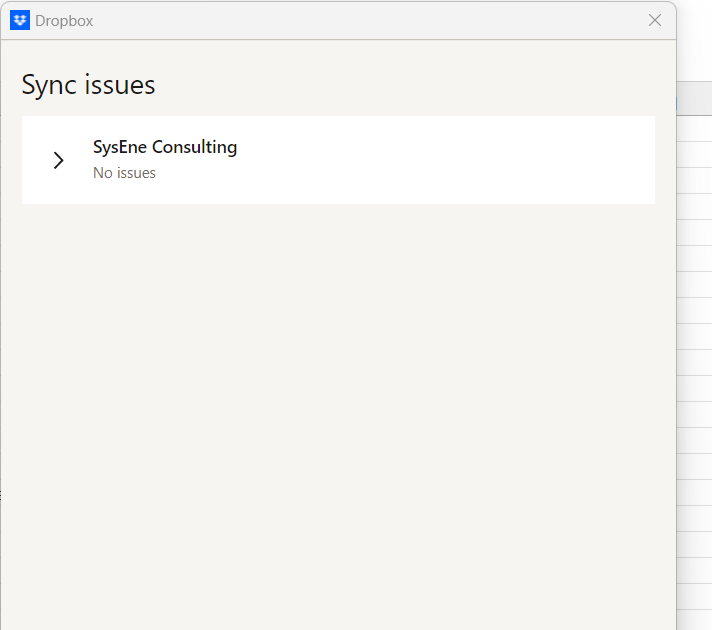
I have done that and it says there is no Sync issues.
And it looks like I have got that problem on "one" of the folders for some reason(s).
I used to have McAfee virus detection/protection software. I also uninstalled McAfee but still got that probem,
Certainly! When troubleshooting issues with your desktop app not syncing files, it's important to go through a systematic approach to identify and resolve the problem. Here are some steps you can take:
Check Internet Connection: Ensure that your computer is connected to the internet and that the connection is stable. A poor or intermittent internet connection can cause sync issues.
Verify Account Credentials: Double-check that you are signed in with the correct account credentials in the desktop app. Sometimes, syncing issues can arise if there's an authentication problem.
Update the Desktop App: Make sure you are using the latest version of the desktop app. Check for updates and install any available patches or updates.
Review Sync Settings: Look into the sync settings of the desktop app. Ensure that the folders you want to sync are selected and that there are no restrictions preventing the sync process.
Check Storage Space: Verify that you have enough storage space on your device and on the cloud (if applicable) to accommodate the files you are trying to sync.
Review Firewall and Antivirus Settings: While you mentioned disabling the firewall and antivirus, it's worth double-checking that the necessary permissions and exceptions are in place for the desktop app to communicate over the network.
Log Files and Error Messages: Examine any log files or error messages generated by the desktop app. These can provide valuable insights into what might be causing the syncing problem.
Temporary Disable VPN: If you're using a VPN, temporarily disable it and check if syncing works without it. Some VPN configurations can interfere with file syncing.
Contact Support: If none of the above steps resolves the issue, consider reaching out to the support team of the desktop app. Provide them with the details of the problem, the steps you've taken, and any error messages you've encountered.
By following these steps and providing detailed information, you increase the chances of receiving effective assistance in resolving the syncing issue with your desktop app.
Thanks, John.
Could you please provide addition al info on how to check the following:
Review Sync Settings: Look into the sync settings of the desktop app (How, where?). Ensure that the folders you want to sync are selected and that there are no restrictions (what restrictions, where are restrictions set?) preventing the sync process.
Review Firewall and Antivirus Settings: While you mentioned disabling the firewall and antivirus, it's worth double-checking that the necessary permissions and exceptions are in place (where, how?) for the desktop app to communicate over the network.
Contact Support: If none of the above steps resolves the issue, consider reaching out to the support team of the desktop app. Provide them with the details of the problem, the steps you've taken, and any error messages you've encountered. I have been contacted by many very different people. It would have been be great if one person could have a live chat with me get access to my computer and check and correct things, rather than a lot of time consuming back and forth emailing.
Hi @Majid Abdi, you can check the selective sync settings, which is what they could be referring to.
You can contact the support team via this link for further assistance if need be.