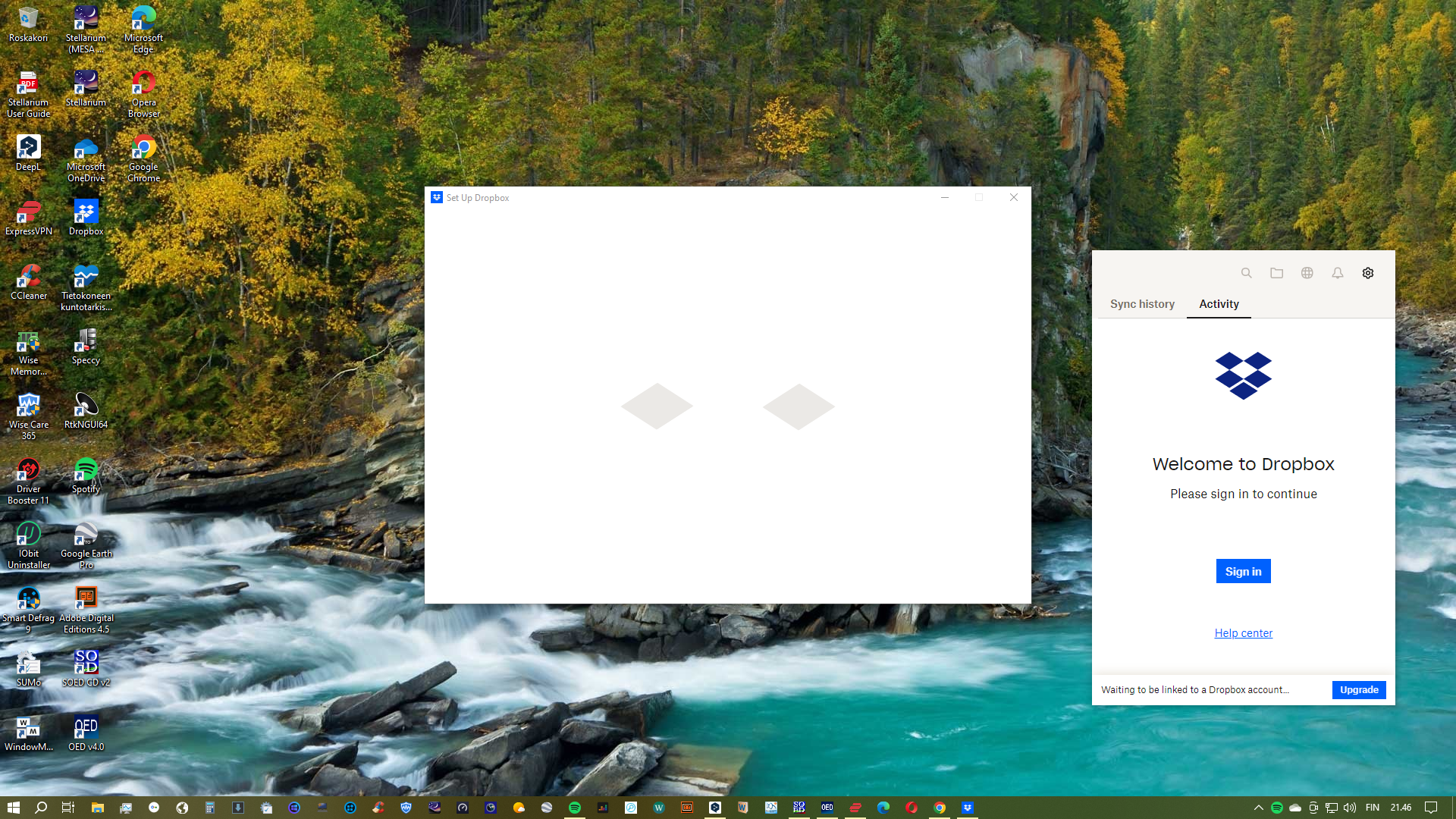
I downloaded the Desktop app, but it doesn't allow me to sign in. I click the Sign in button, but nothing happens. I can sign in to dropbox.com in a browser, however. I'd be glad of any advice.
Hi @ericrose, thanks for posting!
I am sorry to hear about this issue.
Can you try downloading and installing the Dropbox app via this link instead and tell me if the issue persists?
Thank you for your answer! Sorry to say, I still can't sign in, the same problem persists. To be clearer, I can submit the email and password to the Set Up Dropbox window on the screen, but nothing further happens, just blue figures going around; and the Dropbox icon in the lower right corner of the screen demands signing in, but clicking the blue button there doesn't work.
Hi from me as well, @ericrose!
Have you tried to completely uninstall the Dropbox app from your computer first? If not, please try this, and then install it once again on your device.
If that doesn’t work either, I’d like you to send over a screenshot of what you see exactly on your screen.
Thanks.
Thank you! Actually, I already uninstalled Dropbox before the last re-installing, no help. I include a screenshot, after signing in to the Set Up Dropbox window, which, as I told, doesn't lead anywhere; and the other window opening from the Dropbox icon in the lower right corner, not allowing to sign in.
I'm having the same issue and all my co-workers as well.
My desktop app is gay and is stuck on updating, isn't syncing and I already tried rebooting the computer and nothing.
Hi @ericrose & @Esther430
Can you try accessing your app's settings and see if you can link your device that way?
You can do this by clicking on the gear icon on the top, right part and then click Preferences.