Everytime when dropbox starts the message "connecting components" and it took forever.
Hey there, @Andre F.3! Let's see what we can do here.
Just to confirm, which version of the app is causing this syncing issue? Are you possibly using a beta version denoted xx.3.******?
Please also let me know which OS and version your computer is running, so that I can suggest accurate troubleshooting steps.
Keep me posted!
Sorry about my poor English
version 183.3.6931
MacOS Ventura 13.5.2 (22G91)
Hi @Andre F.3, thanks for the info. it looks like you’re running the beta version of the Dropbox desktop application.
To install our latest stable version, visit this page and switch ‘Early releases’ to Off. Afterwards, re-download the app from here.
Keep me updated with any progress!
I have the same issue. Cannot open finder. Fileproviderd at max CPU, Dropbox stuck on 'Connecting Components'
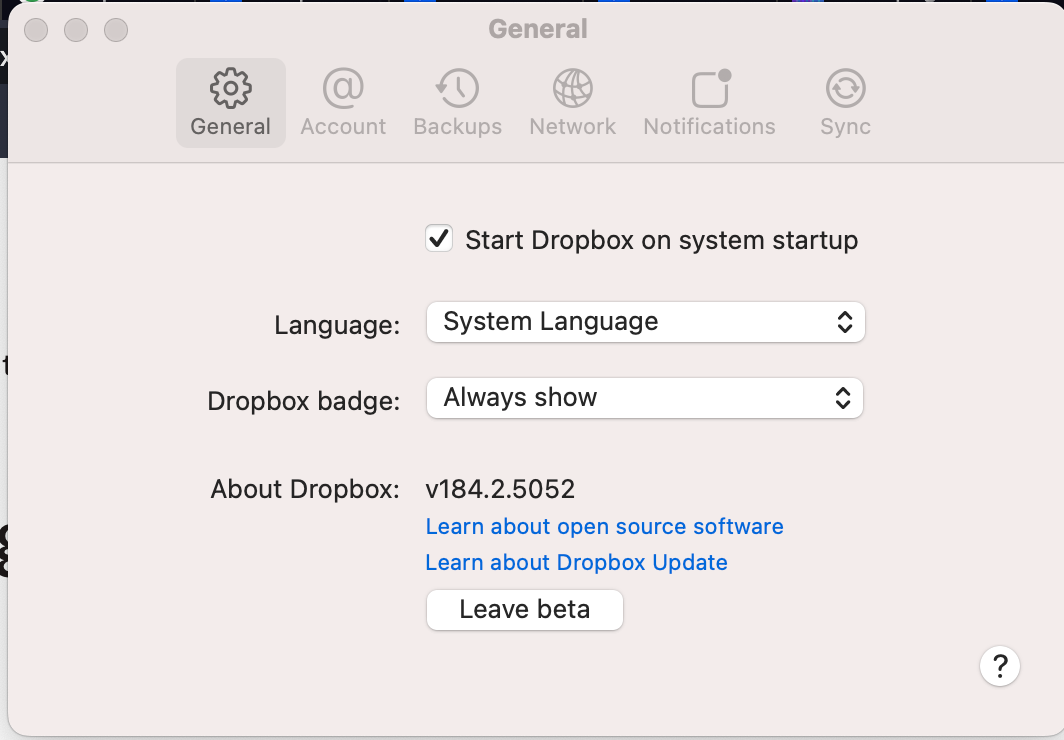
Mac version 184.2.5052 - which says it's the beta
Any thoughts?
First time this happened. I have Dropbox v182.4.6427, Mac OS Ventura 13.5.2. Restarted computer, closed & reopened app. STUCK!
I have this same issue - hanging after I "upgraded" to the new file provider thing.
"fileprovider" is running at 100% CPU and Dropbox is "connecting components".
The whole reason to use Dropbox is not to have stuff like this happen. Very frustrating.
(MacOS Ventura 13.4)
p.s. version 182.4.6427
Very same issue; same dropbox version 182.4.6427 on macOS 13.5.2. Updated to the new file provider version, import seemed to work, then after having sign-out and back (un-related to dropbox), stuck in Connecting components... It's also unclear if it's signed, but selecting 'sign in' from the menu does nothing. It's been running like this for ~5 hours w/o interruption.
Do I just need to blow the install/preferences away and start over?
Hi all,
Sam from Dropbox Community here 🤚🏽
After discussing this with our team, could you please follow these steps?
1. Delete the current version of the app located in ~/Library/Application Support/Dropbox.
2. Update the app by downloading and installing the latest version from /Applications.
To locate the ~/Library/ folder (which is hidden by default in Finder):
1. Open a Finder window.
2. Select Go from the menu bar at the top of the screen
3. Hold down the Option key to reveal the Library folder option in the dropdown menu
For instructions on updating to the latest version of Dropbox: https://help.dropbox.com/installs/upgrade-latest-version
After the installation:Confirm that there is no Dropbox.app in ~/Library/Application Support. We suggest doing the ''normal installation'' and checking that no other version appears in ~/Library/Application Support again.
Let us know if this resolves this issue.
Thank you.
Sam
Have the same issue. That's really annoying and frustrating, as Dropbox has corrupted all local files in the Dropbox folder 🤦♂️
It stucked at these "Components" message too.
I tried to upgrade it up to the 183.4.7058 version, but no luck. Now It trying to start, but eventually crashing.
Traceback is as follows:
Traceback (most recent call last):File "desktop/dropbox/client/main.py", line 5504, in _setup_root_for_accountFile "desktop/dropbox/sync_root/helpers.py", line 520, in get_root_for_accountFile "desktop/dropbox/foundation/futures/basic.py", line 858, in resultFile "desktop/dropbox/sync_root/handlers/macos/file_provider.py", line 232, in set_result_or_convert_exceptiondropbox.mac.internal.MacError: [Errno -2001] Error Domain=NSFileProviderErrorDomain Code=-2001 "Эту программу сейчас нельзя использовать." UserInfo={NSLocalizedDescription=Эту программу сейчас нельзя использовать.}
UPD: Finally it is launched, but now I can see a ton of someone's foreign files and folders in my 30-days history! What the...
P.S. I think it's the time to drop the DropBox and shift towards the SyncThing and iCloud, as I had no such problems with them (especially when it comes to corrupting local files!).
I am having the same issue. VERY FRUSTRATED. I cannot open any of my files.
Recently accepted the Beta version Mac
I'm on Mac OS 13.5.2 (22G91). M1 Max 64gb RAM
Dropbox 187.2.926 beta
Dropbox totally whacked out my computer the last three days.
I have three sets of Desktop/Documents/Download folders now. Under my profile, in and two in Cloud Services, one of them amended with a timestamp. They all have different files in them. The ones in Cloud Services sync. But only the ones under my home/profile folder are part of Dropbox "Backup"
I've definitely lost some files in this mess. Woof.
Sam, this does not work. I am having the same "connecting components" problem after attempting to migrate Dropbox on a new version of Mac OS as Dropbox suggested that I do. Now it's stuck "connecting components."
Sonoma 14.1
And also Sam, every time I do a reinstall of Dropbox it ALWAYS appears in the ~/Library. From your post it seems like it should not be there? Your post isn't super clear.
I managed to get this sorted by login out and in again.