I received a prompt to update to the mac os version of dropbox with the new file system API. When he finished, I lost all the settings and plug-in files of vscode. I found that all files were set to online only. I tried to turn off this function. , but not found, I want to store all files locally, but I can't do it now.
I tried right-clicking and selecting offline access, but he couldn't download files, and many files still couldn't be downloaded. I need to click on the cloud icon for each file one by one, which is crazy.
I saw other solutions saying to turn off the Dropbox system extension, but I didn't find this option.
Is there any way for me to use the original version, I don't need to save space, I need to store all the dropbox files locally, I want to completely close what Online Only! !
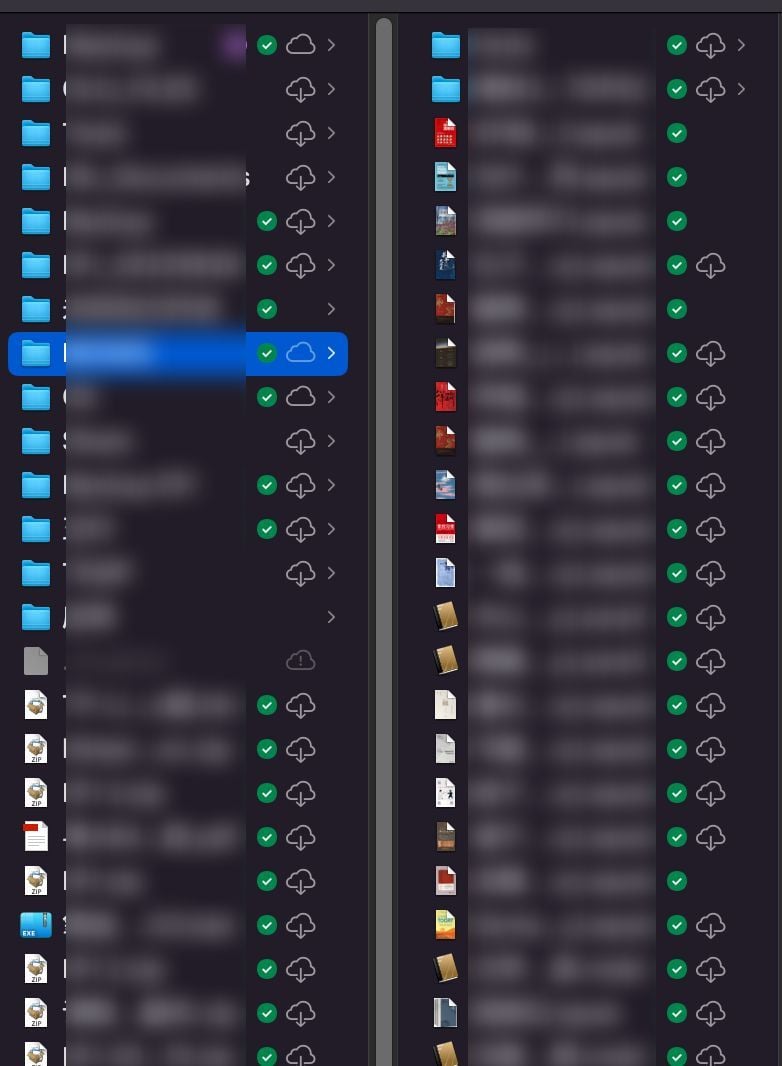
What does this green icon mean, why is there a cloud next to it, I have chosen to access all files and folders offline, all my files need to wait for a minute to open! This is so irritating!



