I'm using Dropbox v180.4.4912 on macOS 13.5 on an Apple Silicon Mac mini. If it helps, I'm also using Maestral 1.8.0 (both GUI and daemon) on a different Mac.
I have a persistent sync issue in my personal Dropbox:
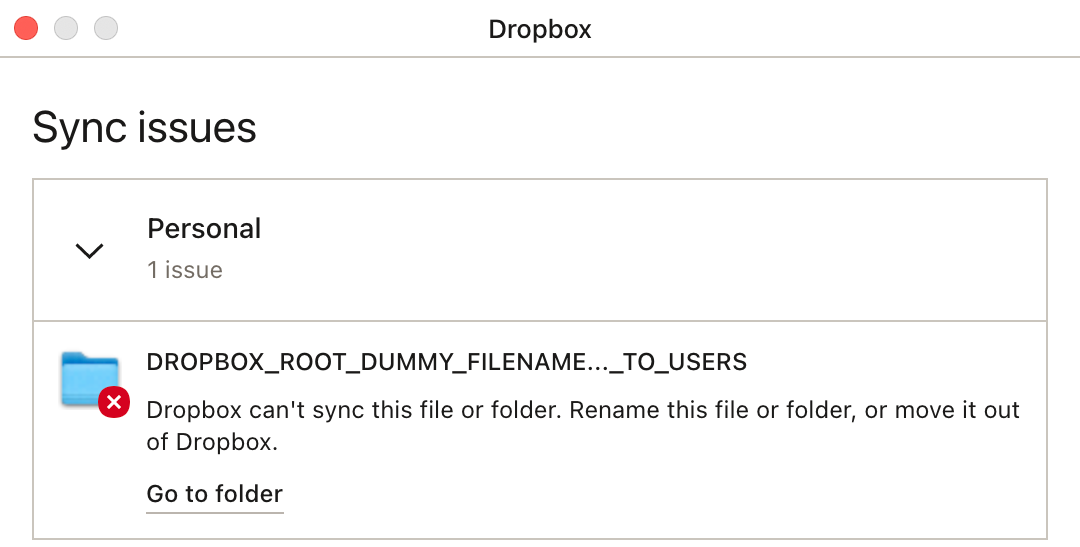
When I click on "Go to folder", Finder becomes the active app, but the currently-open window doesn't change to any different folder, no matter what folder I have open.
I poked around in Console.app, but didn't see anything useful.
I used to get a red circled "1" in my menu-bar icon when I first started getting this error, but now it's a red circled "2". I'm not sure what the second extra thing that Dropbox is encountering that's causing it to bump the badged number from 1 to 2.
Suggestions? Quitting and restarting Dropbox doesn't fix it, even temporarily, and I've rebooted my computer for OS updates once or twice since I started getting this error.
Thanks in advance.








