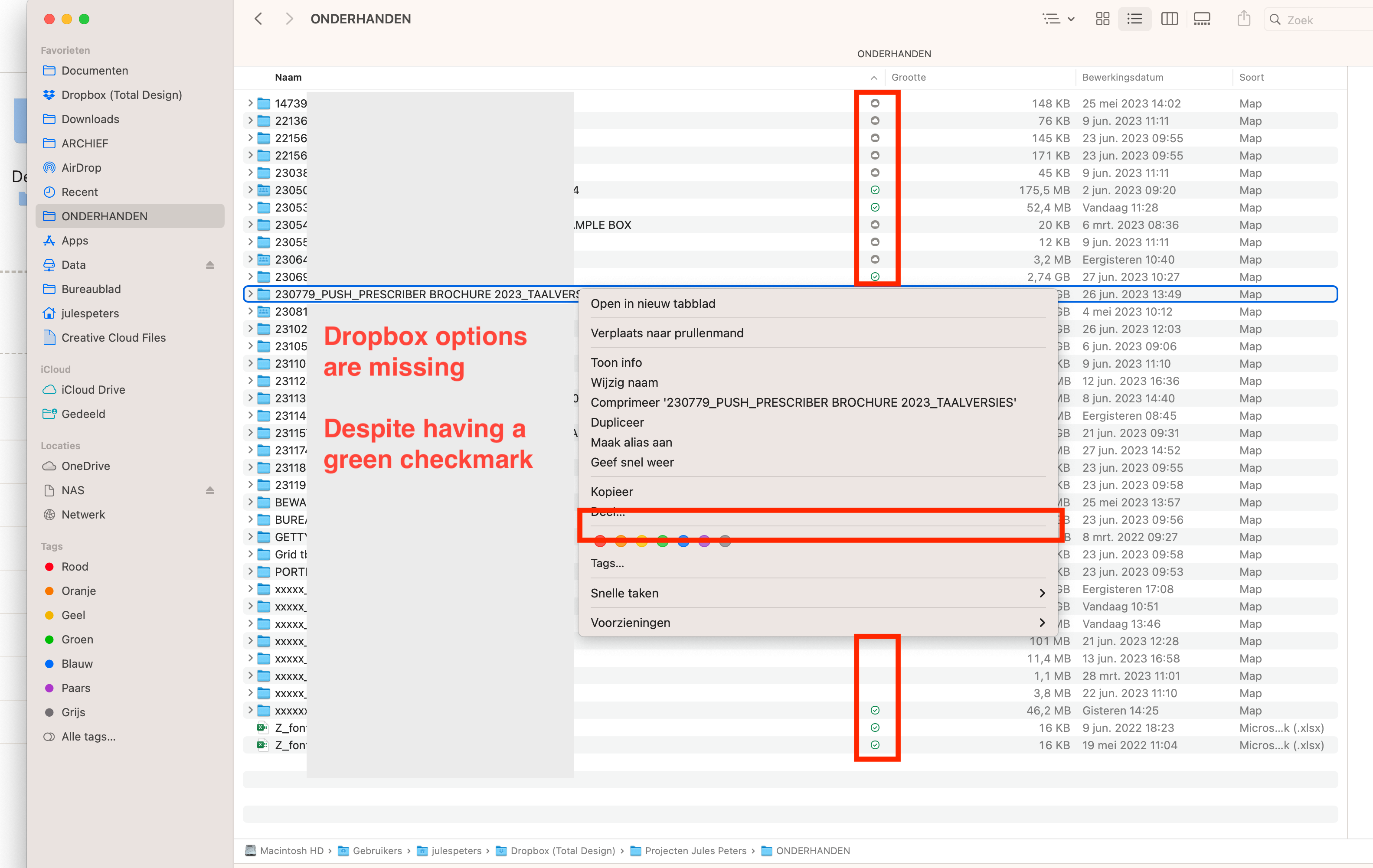
We have issues with our company Dropbox, where checkmarks/cloud sync icons sometimes disappear and reappear.
Also, the right mouse click options (online-only, share, make available offline, etc.) keep disappearing.
Sometimes you have to wait for a long time or restart your laptop multiple times for it to work properly again.
My gut feeling says that when Dropbox is busy with something, such as uploading files or syncing when you click on the Dropbox icon in the top (mac), when it says "everything is up-to-date" I feel like these issues don't occur. But when Dropbox is busy with whatever it seems to be a bit more buggy. Although just a thought, not sure.
The issue with that is that files sometimes take forever to sync. Dropbox says everything will be done in a few minutes, but the sync upload bar doesn't progress. It takes forever to upload/sync stuff sometimes.
Really don't know how to tackle this and make sure we always see the sync icons, and also always have the right-click options available.
.png)





