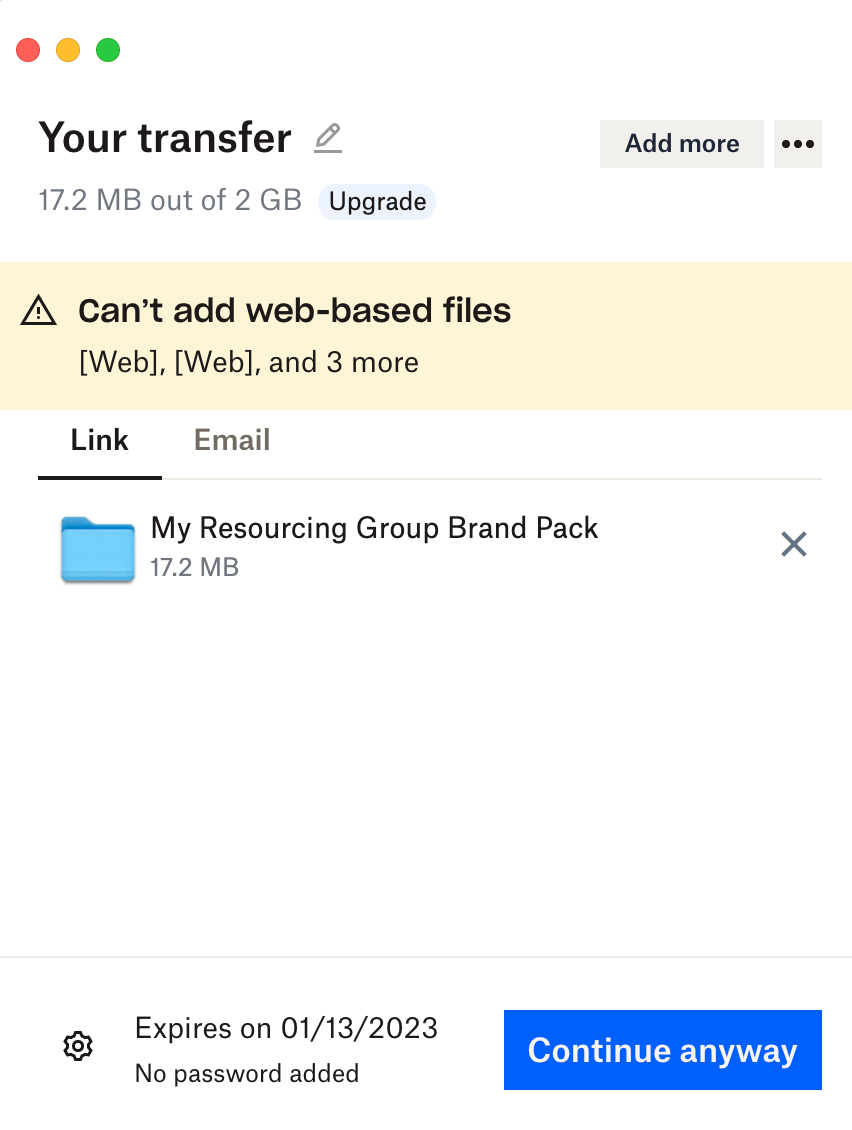
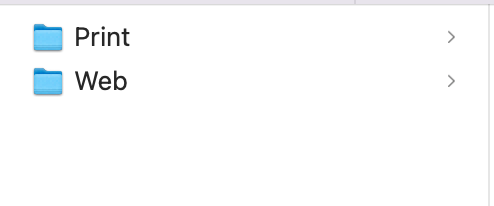
Hi, I'm not sure if this is the right method to report a bug. I'm experiencing a bug with the Dropbox Transfer function of the desktop app (MacOS). I have located a folder that I want to send using the Dropbox Transfer method. So I right-click and select Send a Copy. It opens up the standard Transfer window but I get the error "Can't add web-based files". However, there are no web-based files in my folder package that I wish to send as everything is offline. I do have several folders named "Web" (they contain logo files for web use). But the app thinks the "web" folder is web-based but nothing about them is web-based (i.e. online only) only the name is "web". Creating the transfer excludes the "web" folders which is undesirable.
I have tried renaming the "web" folders to something that doesn't contain the word "web" and the transfer works without errors. But this is undesirable as I wish to use the name "web". I have used the transfer function via a web browser and it creates the transfer without errors and includes the "web" folders. So there is a bug with the desktop app.
Hope you can help or flag this for developers to fix.