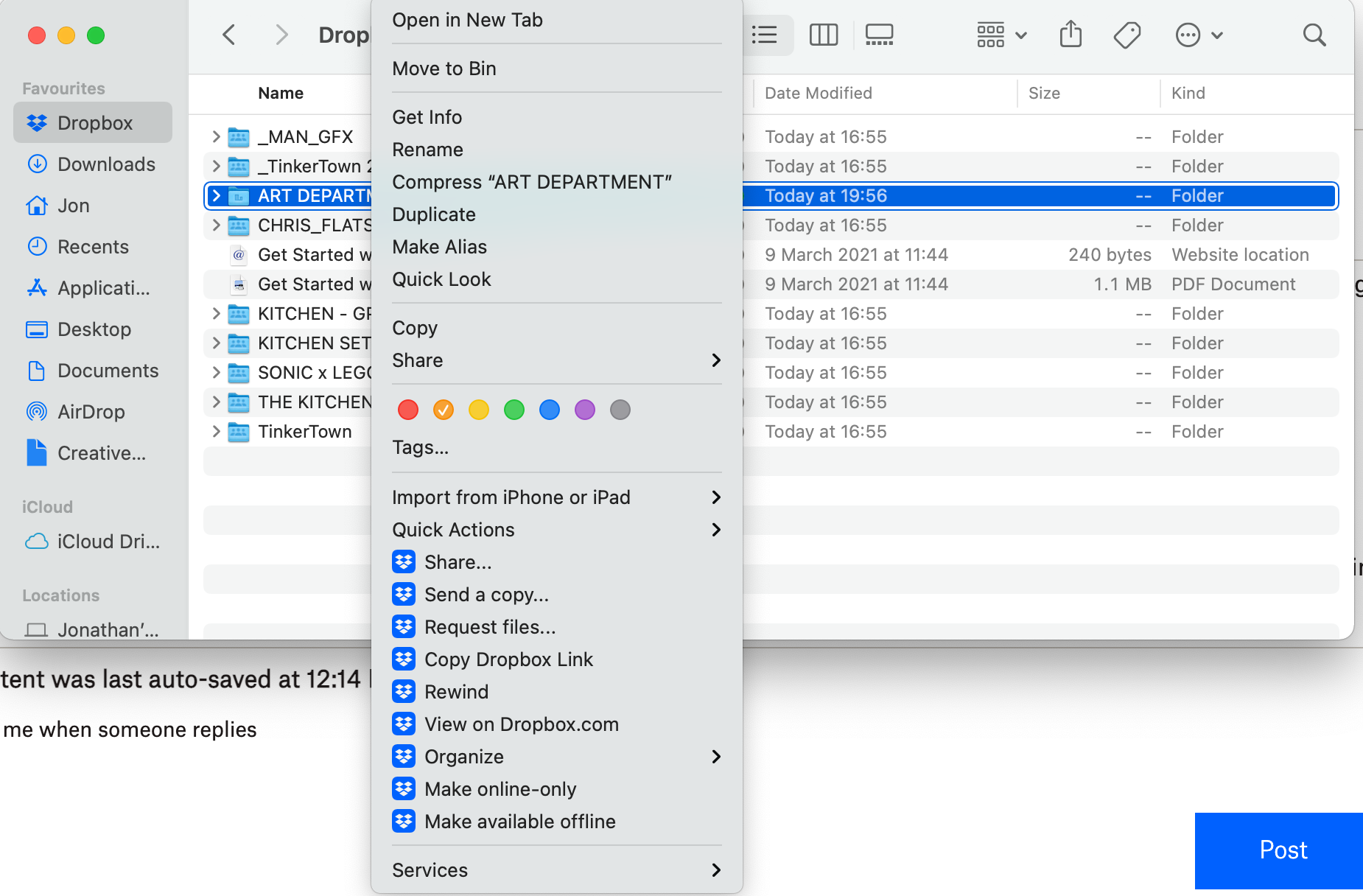
In my Dropbox folder in Finder, I right click on a folder/file and I no longer have the option for Smart Sync. Has anyone found a solution to this?
I have tried all of the solutions that I can find throughout this community to no avail.
- Deleting the cache files
- Uninstalling and reinstalling (Including a restart of the Macbook)
- Restarting the Macbook
- Checking and unchecking the 'save hard disk space automatically' in Dropbox app preferences.
- I have also looked everywhere in the Dropbox webpage for the 'turn smart sync on' checkbox but it doesn't appear to exist. I imaging this was taken out since the previous posts which mention it.
- There is also no option to check or uncheck smart sync in my app preferences. Nor any mention of smart sync.
I am running MacOS Big Sur Version 11.0.1.
Dropbox says it is up to date when I hover over the icon (154.4.3932)
I'm really at a loss of what to do next. I've lost a days work trying to sort this out and haven't heard back from support since emailing them.
I've attached an image of what I see when right clicking on a folder.
Regards and thanks in advance!