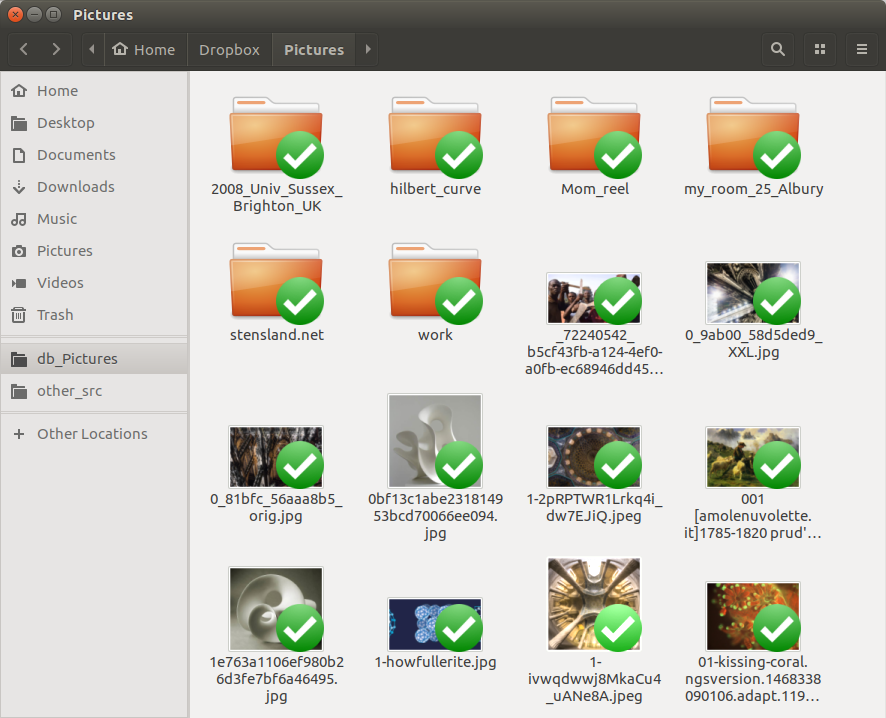
I'm new to dropbox and just found out the actual app is no longer a thing and we are all stuck with the explorer file folder.
So I copy a file from dropbox to my desktop... the file gains an "X" in the bottom corner and a transfer window stays stuck at 0%... okay(????)
I close the stuck transfer window, now the file has a green check mark in it's bottom left corner (?!?!?) I copy it to my desktop once again... it transfer to my desktop instantly. So I google "What does this green check mark mean."
"A solid green circle with a white checkmark means your file or folder is fully synced and local. “Synced” means that any changes you made to this file or folder are reflected everywhere you access your files in Dropbox. “Local” means that your file or folder is available when you’re not connected to internet."
REALLY? REALLLY???????? I DON'T WANT THAT!!!!!! I want to make a COPY of the file... I don't need the file to be synced and be altered by me!!!!!!!!! What is this????????? Is this true????? I need to copy files and NOT alter them in any way shape or form; why would me copying a file mean anything I do to it will be reflected everywhere across the dropbox folder... WHY NOT JUST COPY IT?????