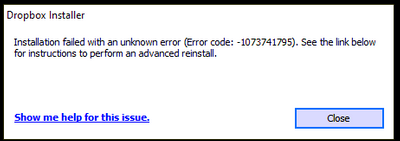
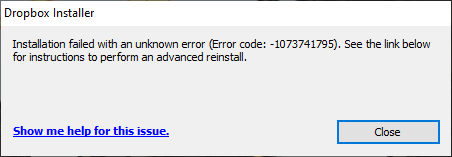
I keep getting the same error over and over again.
I have tried every suggested resolution and nothing has worked. Anyone?
Our engineers have put out a new Beta Build: 150.3.4929, which fixes the 'Installation failure: Error code 1073741795'. You can find details about the fix, and how to install it, here.
I am trying to install dropbox in my PC but I keep getting the following error
I have tried installing previous versions (both with online and offline installation) but I am still getting the same error.
The specs of my PC are as follows:
Hi @The TechJedi, how are you doing today? Let me ask: have you followed the steps provided in order to perform an advanced re-install on your device? How did it go?Let me know more.
Hi Megan,
Thanks for your response. Yes, I have tried the advance re-install, many times. I have tried many suggestions from the community with the same result. Same message as my first screen shot.
Thanks for clarifying, @The TechJedi! What is the OS on the device you're trying to install the app on?
Windows 10
I've been on the same journey as @Searson from a thread elsewhere in the community chat. I've been experiencing the exact error code:
To bypass a lot of the troubleshooting, I've already tried these fixes to no avail:
Frankly, I've given up all hope. I'm past frustration or even anger, rather, I find myself impressed. Impressed that such an impenetrable issue persists and none of the internet witches and wizards can solve this conundrum of digital arcana.
Win10Pro, 64-bit, v21H1
I was using a previous Dropbox version (116.4.368) on my PC and received a notice in the tray that I had 21 days to update Dropbox. I tried every method mentioned in the support link provided in the error message, including a full install after uninstalling the previous version, and continually receive this error.
Full message: "Installation failed with an unknown error (Error Code: -1073741795). See the link below for instructions to perform an advanced reinstall." and I have followed the instructions there without success.
Hello there! Not that I'm aware of. Could you perhaps give me an example of programs that might interfere?
At one point before attempting reinstalling, I temporarily disabled my anti-virus/anti-malware program, but even then the desktop app would not install and ended with the same error message previously mentioned.
Yes, I am on the Dropbox basic plan, and in devices I see my old phone (which I have now removed) and my current phone. Up until yesterday my computer was also connected and that is still not happening.
*Edited to add: I do see under "Connected Apps" my phone manufacturer (Samsung) and as far as I know, this was required on my old phone to connect to Dropbox, but I'm not sure it is required for my new phone. Is there somewhere I can find those permissions to check?*
I looked at the advanced reinstall instructions you linked to and I am not comfortable editing the registry on my computer. Also, since I uninstalled the desktop app, the linked Dropbox folder does not appear on my computer any longer.
Do I have any next step?
Hi, I'm not sure what you are saying or how it relates to my issue.
I have no trouble accessing the Dropbox website. I'm trying to reinstall the desktop app on my computer.
So are you saying my only option is to use the Dropbox website?
Thank you for jumping in, Walter. Yes, I still need help reinstalling Dropbox desktop on my Win10Pro PC.
Please help, how to resolve this error.
I am facing the same problem while installing the latest version of dropbox.
I tried all the possible ways to solve the problem, but still not solved and showed the same error again and again.
Hello,
I have the same issue, I already performed the advanced reinstall.
Thank you
I already had mails exchanges with direct support (Ticket #15804954). We ended the discussion with this message :
According to my research and the screenshots you provided, the problem you’re experiencing appears to be caused by another app or service you’re using, not by Dropbox. We’re unable to provide support for third-party apps or services.The best way for you to get assistance with the problem is to reach out to the company that makes the app or service for support. I’d also suggest searching in the Dropbox Community.
I will try to upgrade to windows 11 now to see if it helps.
nothing better on windows 11.
I could download and install v.112.3.254 but unable to login, asks me to download latest version.
I made every update possible on my computer (drivers, OS, ...). It is a Lenovo E15 gen2.
Hi Walter
Yes, I have tried the advanced reinstall, but still facing the same problem.
I am on the basic plan but using only three devices.
Hello Humus
I have tried the advanced reinstall, but still facing the same problem.
I tried everything as well, nothing would work. Did someone find a solution?
Altough I desintalled everything on my computer, I still see this in the taskbar menu... Something is still there.
I can still install and uninstall v.112.3.254 but unable to login... asks me to download latest version. I tried to install this build
but no success... Is there a significant change between v.112 and v.131 that could explain this error code?