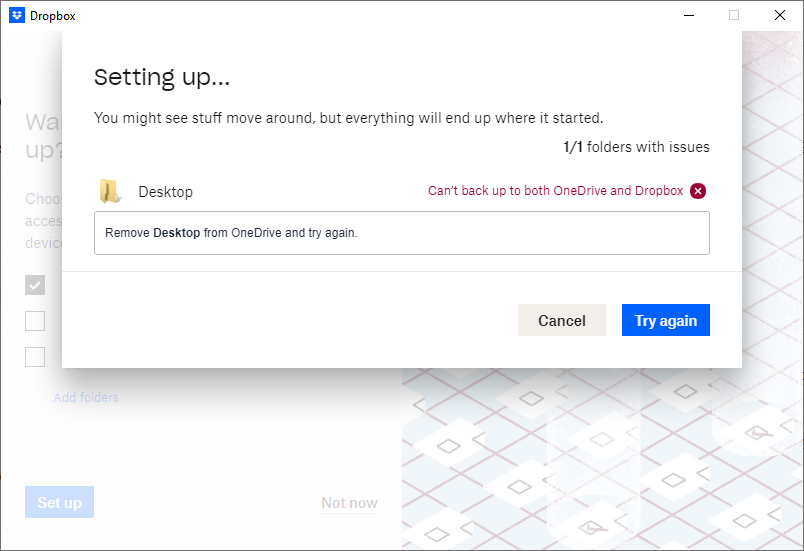
OneDrive comes as part of the Windows 10 (Home, 64-Bit) bundle—I have recently switched out my boot drive SSD for a larger one (to better set up for DropBox cloud syncing) and installed Windows as usual. I immediately uninstalled OneDrive and began setting up DropBox, only to find that DropBox is keeping me from syncing to my Desktop even though OneDrive has been removed from my computer.
I made sure to disable all OneDrive syncing before uninstalling it just in case of any latent evidence of OneDrive remaining on my system. All file locations are in their original locations and haven't been moved. I've shut down, restarted, made sure that there are no active OneDrive instances running, but DropBox is still detecting OneDrive somehow. I'd like to know how this check is performed so that I can prevent this false flag and successfully sync my Desktop.
At the moment I am paying for the 2TB plan and am unable to sync anything because of this issue—this is a bit of a major problem for Windows users, and I've seen other DropBox customers with similar questions who were unable to find a solution. I'd prefer to be able to use DropBox as it was intended to be used since I have a renewing subscription. Screenshot below.
Thanks for any help!





