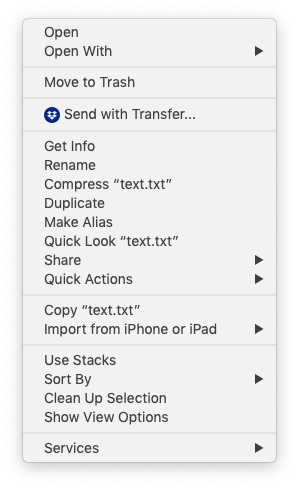
A somewhat-recent version of Dropbox for macOS has added the new menu item "Send with Transfer..." when right-clicking any file on your Mac, not just files in Dropbox.
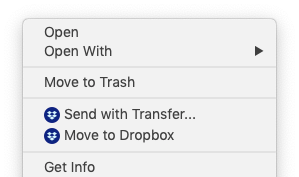
I know that Dropbox's Finder Extension can be disabled entirely. But this disables syncing badges and all Finder integration. I want to keep the Finder Extension enabled for the Dropbox folder itself... I just want to disable the global menu items when outside of the Dropbox.
The similar "Move to Dropbox" menu item can be disabled individually:
/Applications/Dropbox.app/Contents/MacOS/Dropbox --move-to-dropbox=False
https://www.dropboxforum.com/t5/Dropbox-installs-integrations/Pleeeeease-does-anyone-know-how-to-permanently-delete-the-Move/td-p/13682
Is there a similar setting to hide the "Send with Transfer..." menu item individually?
Until this menu item is removed I will be forced to disable the entire Finder integration.