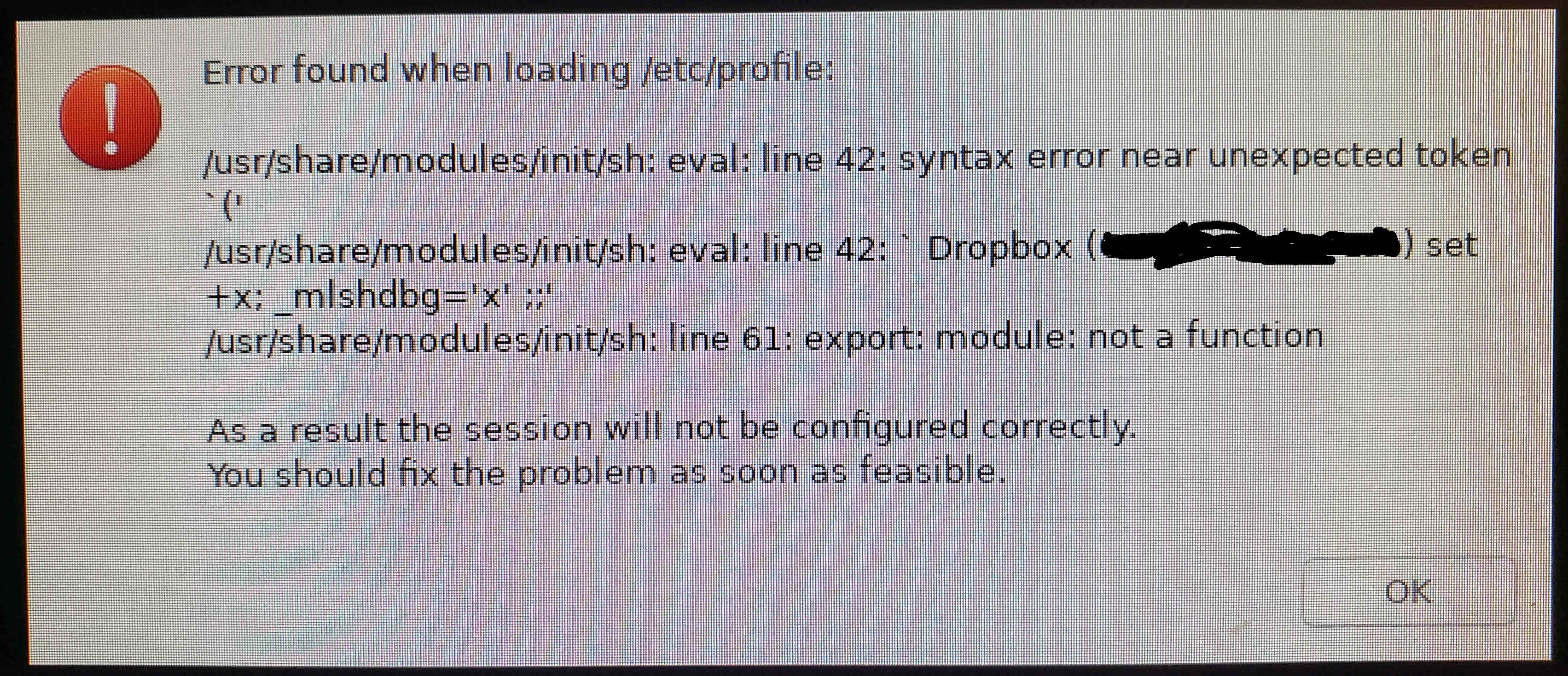
I get the following error message when I sign into my linux desktop (platform details below) after rebooting (doesn't appear if I lock the screen and sign back in again):
Error found when loading /etc/profile:
/usr/share/modules/init/sh: eval: line 42: synatx error near unexpected token `('
/usr/share/modules/init/sh: eval: line 42: ` Dropbox (groupname) set +x;_mlshdbg='x' ;;'
/usr/share/modules/init/sh: line 61 :export: module: not a function
As a result the session will not be configured correctly.
You should fix the problem as soon as feasible.
...
I replaced our dropbox business groupname with the text "groupname" in the above. To get rid of the error message I wiggle my mouse until a cursor appears (sometimes takes a few seconds) and then click the OK button at which point the desktop appears. Here are some details about the platform:
$ lsb_release -a
No LSB modules are available.
Distributor ID: Ubuntu
Description: Ubuntu 18.04.5 LTS
Release: 18.04
Codename: bionic
tmm46@cecil:~$
with this version of dropbox
tmm46@cecil:~$ dropbox version
Dropbox daemon version: 125.4.3474
Dropbox command-line interface version: 2020.03.04
tmm46@cecil:~$
The error message appears with a red exclamation mark (I typed in the error message, as was not copy-able; below screenshot taken with smartphone. I redacted our business dropbox groupname by drawing over it with the mouse. Note that the rest of the screen was black outside the error window:)