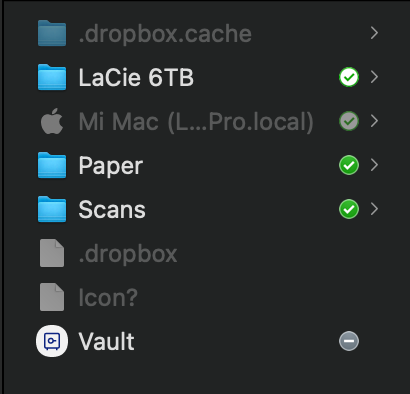
I recently had to restore my Mac from Time Machine, and for some reason after doing this, the main dropbox folder (with desktop, documents, downloads, etc) is now hidden in finder. This is also keeping me from turning on Backup, because dropbox can't actually find the folders.
The folder is still visible in the dropbox application, and as far as I can tell, I can still access all of my files from the finder sidebar, but I would like to fix this in order to be able to have backups of everything. I'm also not sure if the folder being hidden will cause some kind of file mess-up down the line, so I'd like to get it straightened out before anything happens.
Below you can see a photo of my dropbox folder in finder (with hidden items visible).
Anyone run into a problem like this before?