HI thanks for reading this.
all of a sudden my dropbox is showing up on my c drive and my d drive
Windows 10
bascially what's on the c drive is a duplicate of the d drive.
As it is now dropbox is filling up my c drive and it's about to crash. i am not able to snyc as dropbox is saying i don't have enough hard drive space
I've looked at other posts with similar issues but am not finding the fix.
How do i stop dropbox from showing up on my c drive?
I tried to delete a folder from my c drive but of course it deleted from dropbox.com
it has not deleted from my d drive but that's a syncing issue i'd think
I"ve tried
https://help.dropbox.com/installs-integrations/sync-uploads/computer-backup
Turn off computer backup.....
To turn off computer backup:
- Click the Dropbox icon in your system tray (Windows) or menu bar (Mac).
- Click your profile picture or initials.
- Click Preferences.
- Click the Backups tab.
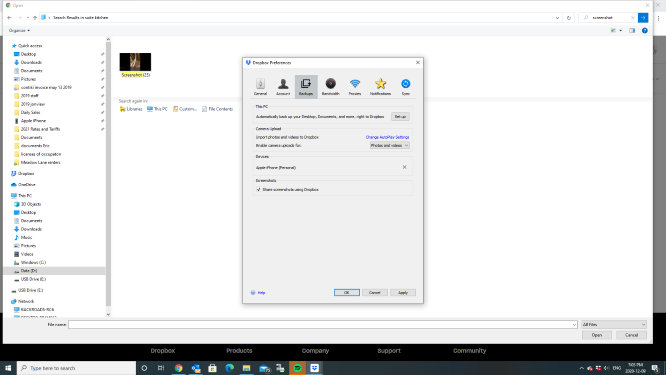
- Click Manage backup. I don't have the option to do this
- Uncheck the folders you’d like to stop backing up to Dropbox or uncheck My Mac/My PC to turn off backup for all folders at once.
- Click Save.
- Choose Keep content in folders on this PC/Mac or Leave content in Dropbox.
- If you choose Keep content in folders on this PC/Mac, the files and folders you stopped backing up can be found in their original folders on your computer.
- If you choose Leave content in Dropbox, new files you add to those folders will save to their original folders on your computer, but the files and folders you previously backed up to Dropbox with computer backup will remain in your Dropbox account. On your computer, they’ll be accessible by shortcuts, in their original folders, called “My files in Dropbox”.
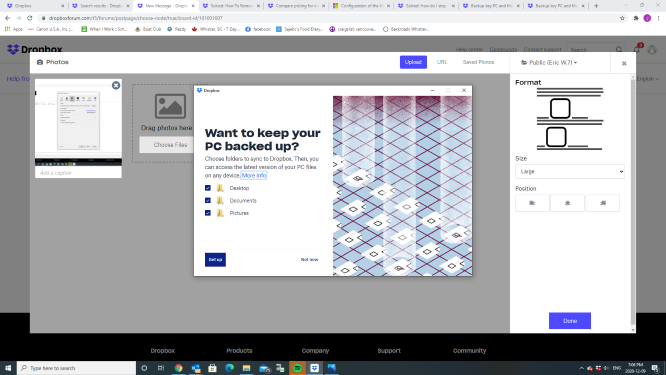
- Note: If you see Set Up instead, it means computer backup is already off. "i see set up".
- Click Stop backup. dont' have this option
- Click Close.