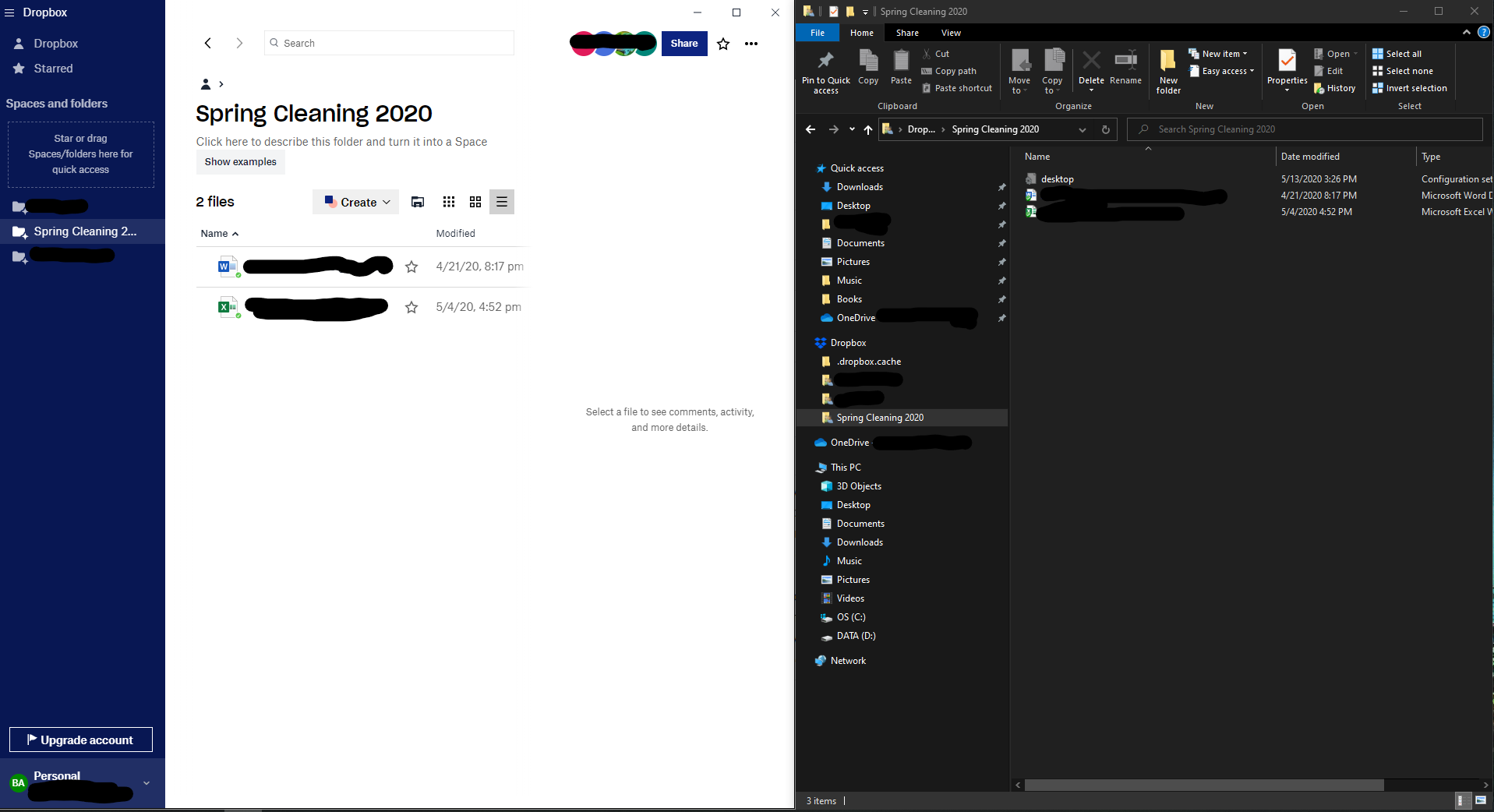
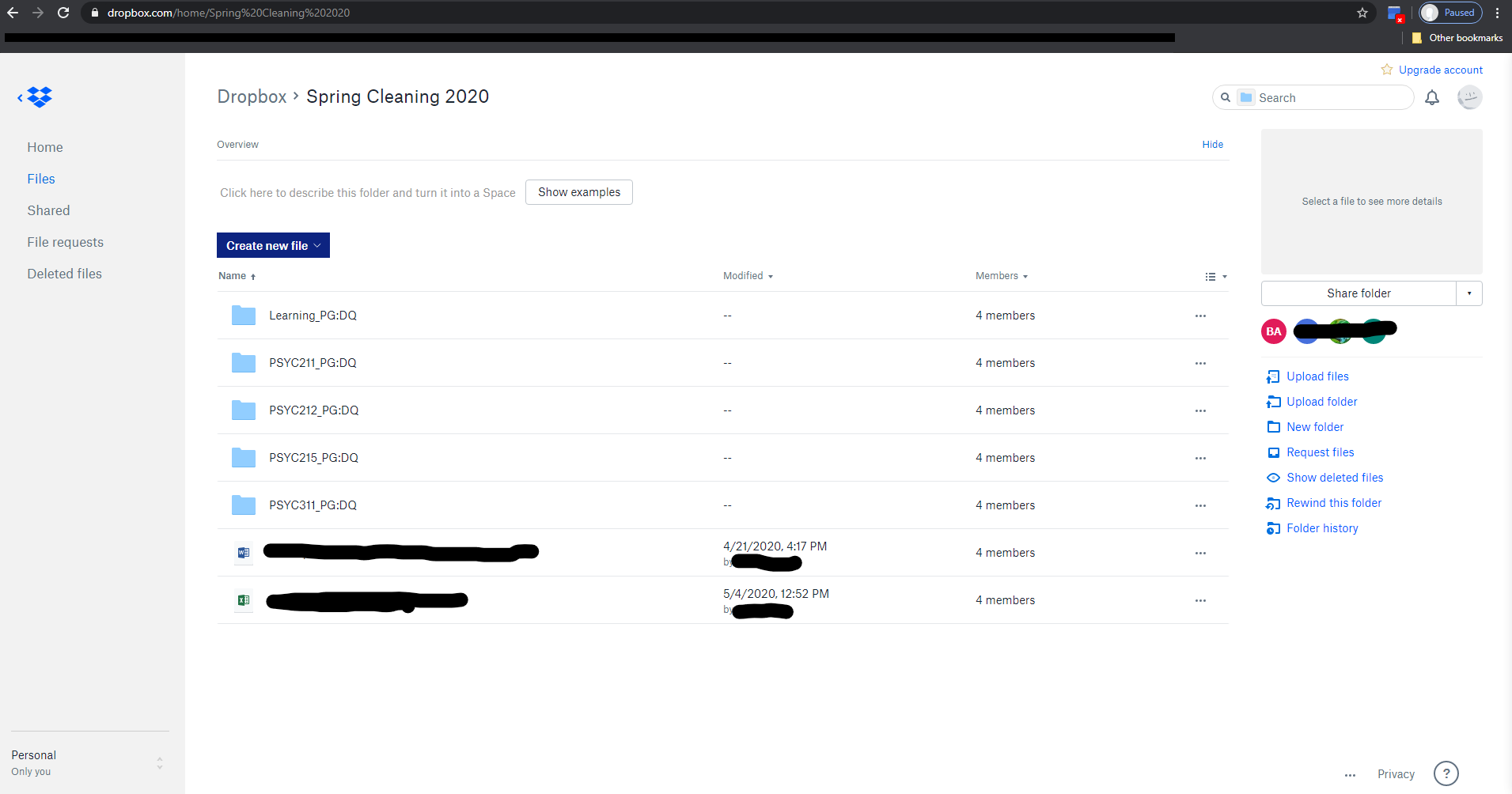
So, this issue is a fairly recent one, not sure if it is due to a dropbox or Windows update, or if there's another step I need to take.
I have a set of folders shared with me with work inside I need to complete as part of my job. These folders are available through the web browser, but working with Office 365 online is a nightmare with formatting and screen-space. I downloaded dropbox and all of my files and folders were available for me to edit, but some time within the last week, a subset of folders was gone from the desktop app. I mean not visible whatsoever. It still appears in the web browser version of dropbox, but NOT on the desktop version. To confligrate things even more, 2 files are showing up within my main "work" folder, but NONE of the sub-folders are visible at all. I checked the seletive sync settings, everything is set to sync. I logged out of and back into the dropbox app. I restarted my Windows 10 Home computer (multiple times). I RE-INSTALLED the dropbox app with the latest version from the dropbox website. These folders are still missing. Attached is a pair of screenshots illustrating what's showing up in the browser vs. what's available on my desktop app.
p.s. Is there no phone number for Dropbox's customer support? Is the lack of a dedicated help line a new COVID-related thing?