Hi,
after successfully adding a group to the team folder I've created (thanks again to Greg and Sdrawko) I also tried to remove that very group afterwards using
/2/sharing/remove_folder_member
with the following json parameter:
{ "leave_a_copy":false, "shared_folder_id":"3032413665", "member": { ".tag":"dropbox_id", "dropbox_id":"g:159b846c7487bd9000000000000011b3" } }
After executing the method I receive the following JSON response:
{".tag": "async_job_id", "async_job_id": "dbjid:AADFNCNH28N0hbWG2XEZIoDfOFJCnCE39h6D2rl8mjhqO-GrQXauw9XEhVl1xgyT5ma9Z8h56s8vKddwPaPNhqaB"}
Which seems to be as expected.
Unfortunately after listing the team folder groups the group I want to remove is still present at the team folder.
Since there's no documentation to be found on how to fetch the status of the async job using REST calls I've no idea how to proceed.
That link doesn't lead to something useful:

The group I want to remove has the following attributes:
Debugging session of
/2/sharing/list_folder_members
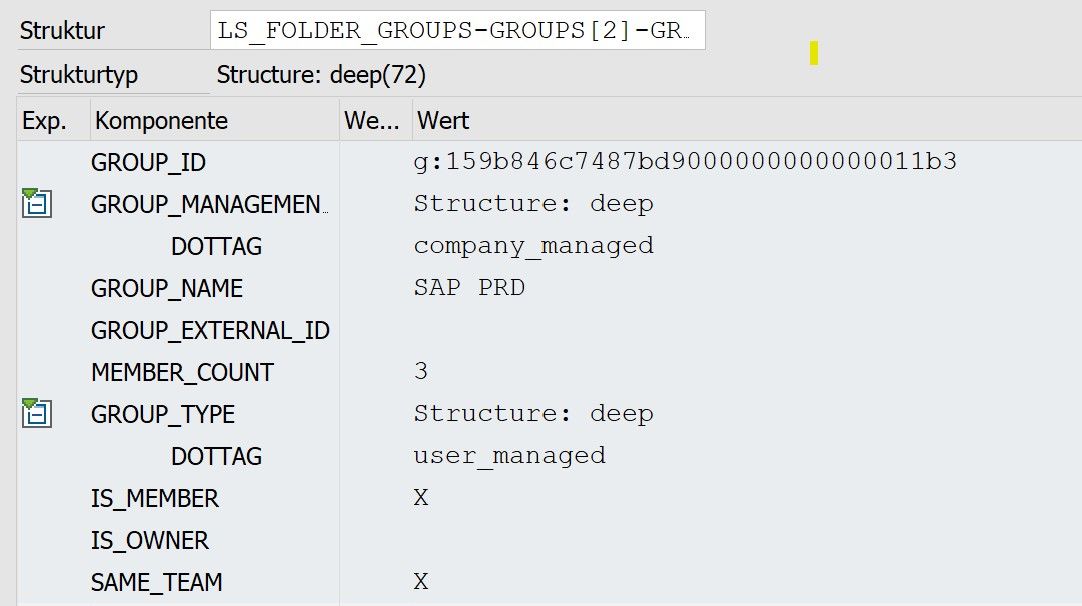
(ABAP language doesn't allow field names starting with a dot, so "DOTTAG" here actually refers to ".tag" which is mapped during the JSON deserialization)
Adding a group to a team folder is pretty much useless without the possibility to remove the group.
I'm afraid to ask for assistance once more 🙂 🙂 🙂
Best regards,
Jan


