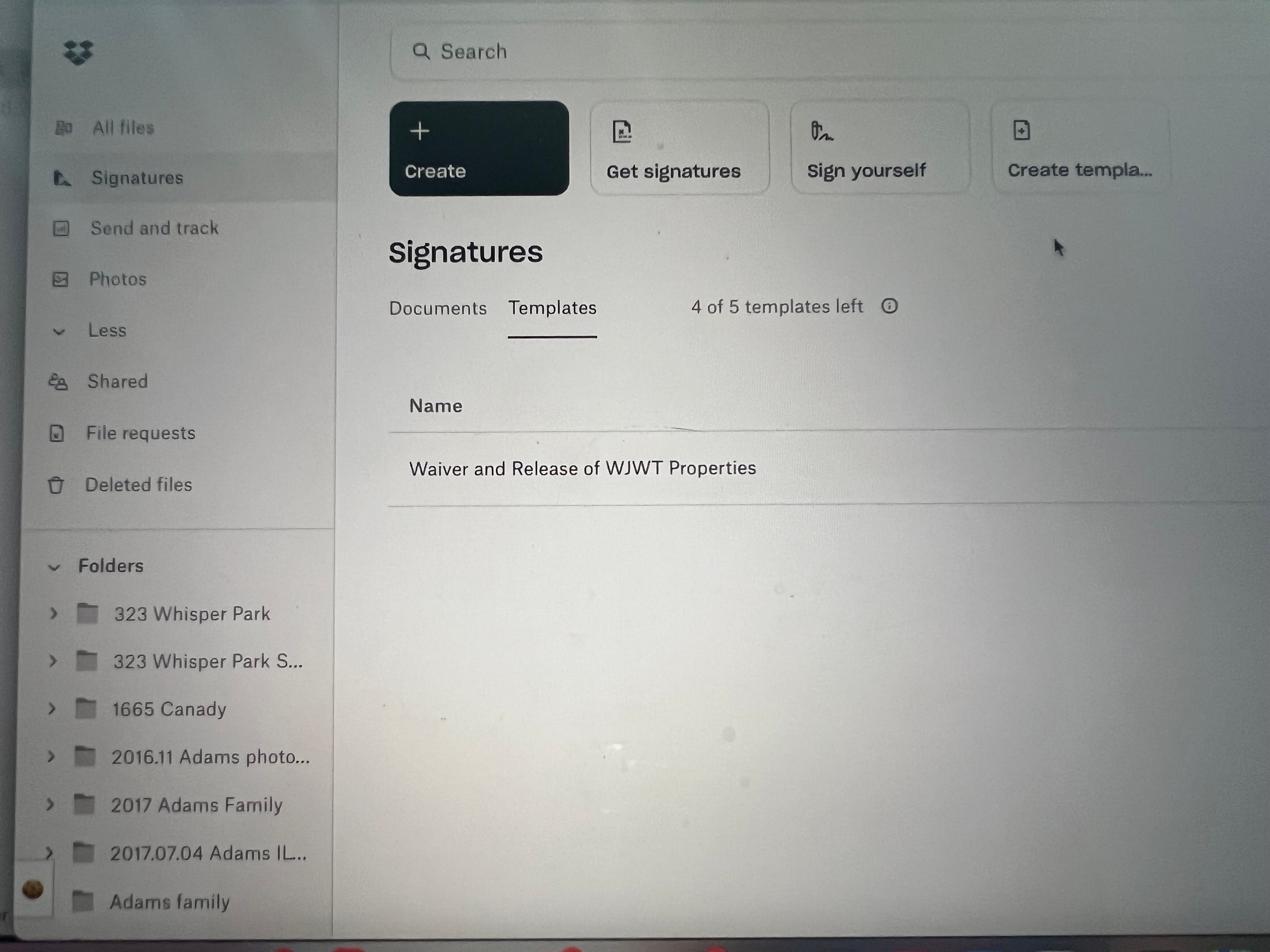
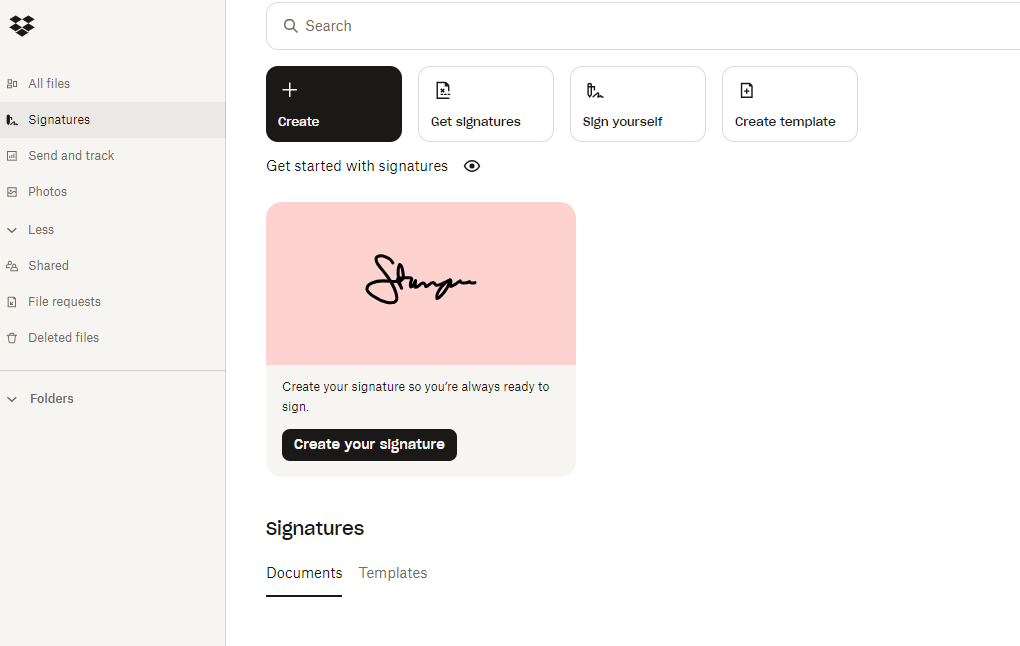
I'm on a Trial of the Essentials plan. I can't find any place in the Interface to create a Template LINK (creating a Template no problem).The UI I have access to seems different than what is described here: https://faq.hellosign.com/hc/en-us/articles/211241667-How-to-create-a-template-linkFor example I don't have a 'Templates' option on the left sidebar.
Please Help

Hey @wjwtproperties, after looking into this further with our team, we just wanted to let you know that we do not currently support template links from within dropbox.com.
Template links are available to Dropbox Sign users on Essentials, Standard, and Premium plans.
This means that you would need a direct Dropbox Sign subscription to be able to use template links and access the Sign website, e.g. Dropbox Sign Essentials, not Dropbox Essentials.
I hope this clarifies things.
Hey @bcdenman! Hope you’re doing great.
The link you’ve provided lists the steps to create a template link on the Dropbox Sign website, and not Dropbox (via the Signatures tab). In general, this feature is available to users who have a Dropbox Sign account, and are on an Essentials/Standard/Premium plan.
If you want, you can try logging in to Dropbox Sign from this page (or setting up an account via another browser), and follow the steps from the link you provided above to create a template link.
Let me know, if you need further help.
Thanks for getting back to me. When I try to login via the link/page you shared, it forces me back into Dropbox-->Signatures. I can't seem to find any way to login to HelloSign more explicitly.How do I create a Dropbox Sign account that isn't also an overall Dropbox account so I can get to the native Sign interface and the feature I'm after?
Hey @bcdenman, have you tried the steps in this article?
Hello, I'm having the exact same challenge. Did you find a solution to make a template link?
thank you
WJWT
Hi @wjwtproperties, welcome to our Community!
Have you tried any of the steps my colleague, @Hannah provided above?
If so, where exactly do you have an issue? Feel free to send us a few screenshots, in order for us to have a visual too.
Keep me posted!
no matter where I sign in from, I am always redirected to the dropbox sign screen. Once there there is only an option to create a template not to create a template link. I need to be able to create a template link ASAP if anybody can help me.
Hi @wjwtproperties, depending on your plan, the only way to access the Dropbox Sign page directly would be to access the site using another email address which is not associated with any bundle or existing plan.
After that, you'd need to have a paid Dropbox Sign plan in order to create templates.
I have an essentials account and template signatures and links are part of that account. But I can't access that page b/c keep getting redirected. If I need to cancel my upgrade to essentials and start a new account on dropbox sign, then somethings wrong with that concept. Please advise
I can create the signature template in essentials, I just need the URL link generated so I can post it in a message board. I do not have an email of recipient to use. It's all done via messaging
Really need a Solution to this....
I need to be able to create the link for the Template.
I currently have a dropbox Essentials account (Have had for years).
When I try to upgrade to dropbox sign + Essentials ($18/mo), it says I already have essentials.
If I try just creating account for dropbox sign essentials (Without Dropbox- $15/mo) It says, "Already have a Dropbox account? Sign in to access dropbox sign"
This just goes in circles back to dropbox with no option to create links.
I do not want to cancel my original account which I have had for years. Do I need 2 separate accounts paying double
Hi @August West, thanks for posting here today!
You don't need two separate accounts. Since you need a plan that can create template links, you should cancel the Dropbox Essentials bundle completely (via dropbox.com).
Then wait for it to downgrade to Dropbox Basic on your renewal date. And then purchase the plan named just Dropbox Sign Essentials from the far left of this page.
If you have any questions, let me know!
My Current Renewal Date is 12/7/24. I can't wait a year
Hi @August West, I'd be happy to look closer into this.
Would you mind if I was to send you an email in order for us to investigate further?
That would be awesome! Thank you !
I just sent you an email, August!
I'll see you there, cheers!
I did not receive any email. Please, I really need help on this template link
Hey @August West, have you checked your Community-linked email address, along with your spam/junk to make sure the message isn't there?
Yes, i have.
In that case, can you try to contact Dropbox Support directly for this, August?
You can visit the Support page while you're not signed in to a Dropbox account, including these forums, and you'll see an option for Billing issues. It's best to use an Incognito or Private browsing session to make sure you're not signed in.
Once you do, feel free to send me the ticket number reference, in order for me to locate it on my end.
Let me know more!
hi Megan, I am not understanding. Are you sending my an email?
Hey @August West, since I already sent you an email, and yet you didn't receive it, would it be possible for you to follow the steps mentioned above, in order to create a new ticket and send it back to me?
If you have issues with that, I could try to send you a new email from scratch, but if you could first give it a go, and let me know, I'd appreciate it.